Lock Instagram, TikTok, and X until today’s verse is read.
Psalmo gates the apps that pull you away — until you’ve read scripture. Cross-platform, gentle, free. iOS uses Apple Family Controls. Android uses UsageStats. You stay in control of the list.


How the gate works
Three taps to a phone that asks you to read first.
Setup takes under a minute. Reading the verse takes under twenty seconds. The payoff is the rest of your day.
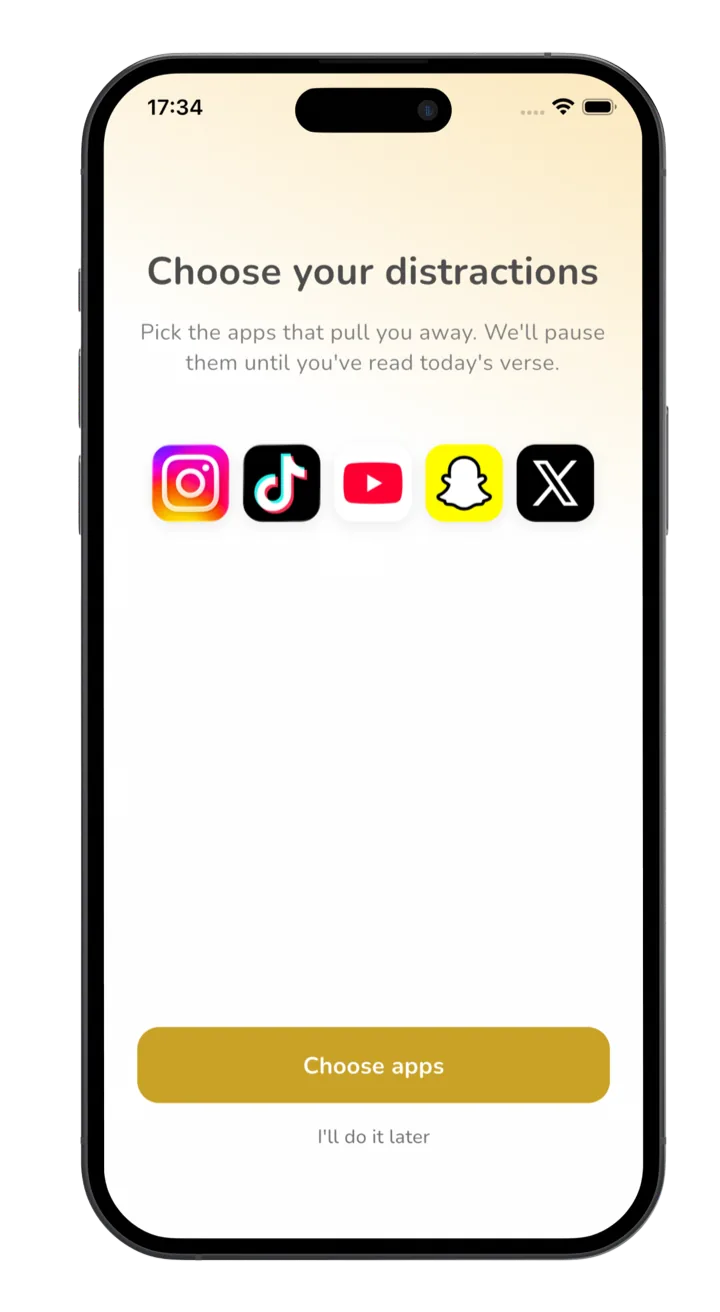
Pick the apps that pull you away
Instagram, TikTok, X, YouTube, Snapchat — whichever ones you tend to open first. You stay in control of the list.
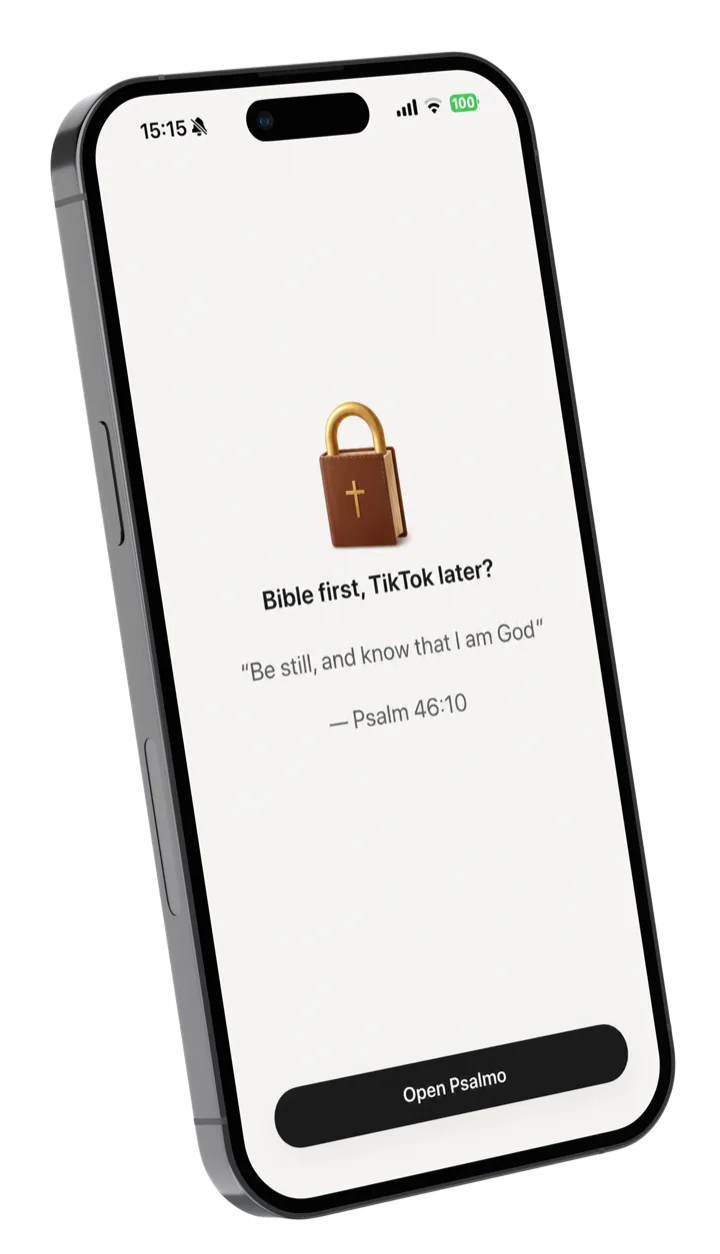
Open your phone — read today’s verse
When you try to launch a blocked app, Psalmo shows the day’s verse with a small “Done reading” button. It’s scripture before scroll, not a punishment.
Unlock for the rest of the day
Once today’s verse is read, the blocked apps open normally until midnight. Tomorrow the cycle resets with a new verse. You can disable the gate anytime in settings.
Ready to read before you scroll?
Free on both stores. The lock-apps feature is included, not paywalled.
Why a scripture gate works
Willpower runs out. A 20-second pause doesn’t.
Most screen-time tools fight your habits with friction. They block you, then nag you, then watch you tap “one more minute” until the block becomes wallpaper. The willpower model loses by attrition.
A scripture gate changes the trade. Instead of fighting your reach for Instagram all day, you trade twenty seconds in the morning — read the verse, the apps unlock, the day continues. The cost is small enough that you do it. The reframe is real enough that you notice.
We didn’t invent the pattern. Spiritual disciplines have used micro-rituals before media for thousands of years — a prayer before meals, a verse at dawn, a candle before reading. Psalmo just puts that ritual where your phone already lives, between you and the scroll.
“My lock screen used to be a notification graveyard. Now the first thing I read every morning is a psalm.”
Compare honestly
Psalmo vs FaithLock vs Bible Mode vs Prayer Lock.
We make Psalmo, so we’re biased — but here’s the honest spec sheet against the three other apps in the lock-apps-until-you-read category. Bible Mode is excellent for iOS users who like the physical-Bible-scan gimmick. FaithLock’s Bible-quiz unlock is harder than reading a verse, but that’s the point if you want stronger friction. Prayer Lock is the lightest option.
| Feature | Psalmo | FaithLock | Bible Mode | Prayer Lock |
|---|---|---|---|---|
| Lock-apps-until-Scripture | ✓ Read verse | ✓ Bible quiz | ✓ Scan physical Bible | ✓ Pray pause |
| iOS | ✓ | ✓ | ✓ | ✓ |
| Android | ✓ | — | — | — |
| Home-screen widgets bundled | ✓ 3 sizes | — | — | — |
| Lock-screen widgets (iOS) | ✓ 3 styles | — | Limited | — |
| Aesthetic themes | ✓ 15+ | — | Minimal | — |
| Free tier (real) | ✓ | ✓ | ✓ | Trial only |
| KJV / WEB translations | ✓ Public domain | Generic | Generic | Generic |
Feature availability accurate as of May 2026. FaithLock and Bible Mode are iOS-only at time of writing; both have Android “coming soon” notes. We update this table when that changes.
Frequently asked
The honest answers.
Which apps can Psalmo actually lock?
On iOS, Psalmo uses Apple’s Family Controls / Screen Time API to pause Instagram, TikTok, X, YouTube, Snapchat, and other social apps you select. On Android, Psalmo uses UsageStats and Accessibility permissions to gate the same apps. You choose every app on the list — Psalmo never locks something without your consent.
How is this different from Apple Screen Time or Android Digital Wellbeing?
Built-in screen-time tools enforce blanket time limits. Psalmo gates apps behind a single, gentle scripture-read moment. You’re not fighting a willpower limit all day — you’re trading one 20-second pause for the rest of your day back. Many people use both: Screen Time for time caps, Psalmo for the daily reset.
How is Psalmo different from FaithLock or Bible Mode?
Three differences. First, Psalmo runs on both iOS and Android — FaithLock and Bible Mode are iOS-only. Second, the unlock is just reading today’s verse, not a multi-question Bible quiz (FaithLock) or scanning a physical Bible with your phone camera (Bible Mode). Third, Psalmo bundles widgets and aesthetic themes in the same app, so you get a scripture-first phone without juggling multiple apps.
What if I need an app urgently and don’t want to read first?
You can disable the gate in Psalmo settings at any time — there’s no friction wall, no streak penalty, no shame screen. The point is gentle accountability, not control. Most people leave it on and read the verse anyway because it takes 15 seconds.
Will Psalmo see what I do in other apps?
No. On iOS, Apple’s Family Controls API gives Psalmo permission to pause specific apps but never shows their contents. On Android, UsageStats only tells Psalmo when an app was opened, not what happens inside. Psalmo doesn’t collect or transmit any of this.
Does Psalmo really lock apps for free?
Yes. The lock-apps feature is on the free tier — no trial, no time limit. Premium adds extra themes, lock-screen widgets (iOS), custom photo backgrounds, and AI prayer & reflection, but the core lock-apps + daily-verse experience is free forever.
Read before you scroll.
Install Psalmo and pick the apps you want gated. Twenty seconds for the rest of your day.