Today's verse on your iPhone lock screen.
Psalmo puts a Bible verse where you already look: lock-screen widgets in three shapes and home-screen widgets in three sizes, with 26 themes and the full Bible offline. Free plan, no account.


The lock-screen widget is on the free plan. No sign-up, no ads.
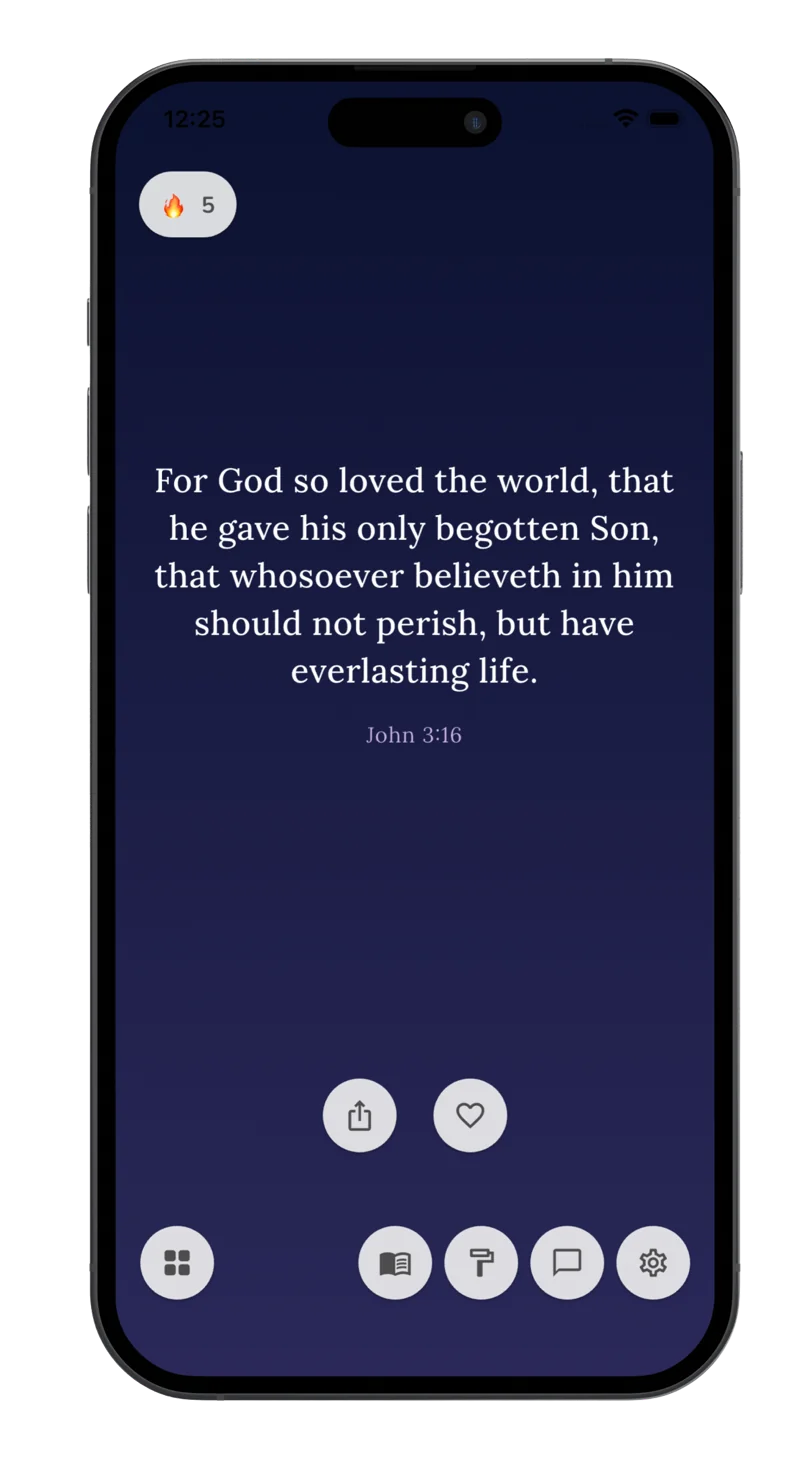
Lock-screen widgets
Three shapes for your iPhone lock screen.
Apple added lock-screen widgets in iOS 16. Psalmo offers one for each slot, and all three are on the free plan.
Rectangular
Below the clock
Today's verse with its reference. The one most people pick, because it is the only shape with room for the verse text.
Inline
Above the clock
The reference of today's verse on one line. It leaves your wallpaper untouched.
Circular
Beside the others
The Psalmo icon as a one-tap shortcut into today's verse.
Lock screen setup
How to add a Bible verse widget to your iPhone lock screen
Install Psalmo
Get Psalmo from the App Store. It is free to download and asks for no account or email.
Touch and hold the lock screen
Wake your iPhone without unlocking it, touch and hold the lock screen, then tap Customize and choose Lock Screen.
Add the Psalmo widget
Tap the widget area below the clock, find Psalmo in the list and pick the rectangular widget. Tap Done.
Pick your verse topics
Open Psalmo and turn on the topics you want today's verse to come from: Faith, Hope, Love, Prayer and more.
Put today's verse on your lock screen.
Free on the App Store. Setup takes about two minutes.
Home screen setup
And on the home screen, in three sizes.
Touch and hold the home screen
Touch and hold an empty area until the apps jiggle, then tap Edit and Add Widget (the + button on older iOS versions).
Search for Psalmo
Pick small, medium or large. Medium fits most verses and sits neatly above a row of apps.
Choose a theme
Tap the widget to open Psalmo and pick a theme. The home-screen widget shows today's verse in that theme.
What's free
The widget does not ask you to subscribe.
Psalmo has a free plan, and the widgets are on it. No account, no ads.
- Widgets: home-screen widgets in all three sizes and lock-screen widgets in all three shapes.
- Verses: six verse topics (General, Love, Faith, Jesus Christ, Prayer, Hope), favorites, a streak and a daily reminder.
- The whole Bible: an offline reader with 19 translations in 13 languages, including the KJV.
- Themes: Classic, Dark and Minimal.
- App blocking: pause up to 3 apps until you have read a passage, on one schedule.
Premium adds all 26 themes, every verse topic (50+), your own photo as a background, AI Bible chat and unlimited app blocking, including app categories and websites on iPhone.
Frequently asked
iPhone questions.
Is there a free Bible widget for iPhone?
Yes. Psalmo's free plan includes home-screen widgets in three sizes and lock-screen widgets in three shapes, with three themes and six verse topics. It needs no account and shows no ads.
How do I add a Bible verse widget to my iPhone lock screen?
Install Psalmo, touch and hold your lock screen, tap Customize, choose Lock Screen, tap the widget area below the clock and add the rectangular Psalmo widget. It shows today's verse and its reference.
Which iPhones support lock-screen widgets?
Apple added lock-screen widgets in iOS 16. If touching and holding your lock screen shows a Customize button, your iPhone supports them. Psalmo runs on iOS 16 and later.
Does the lock-screen widget use my theme?
No. iOS draws lock-screen widgets in the system style so they stay readable over any wallpaper. Psalmo's 26 themes apply to the home-screen widget and inside the app.
Which Bible translations does the widget use?
Whichever you choose in settings. Psalmo includes 19 translations in 13 languages; in English that is the King James Version (the default), ASV, BBE, BSB and Douay-Rheims. One setting drives the reader, the daily verse and the widgets.
What if the widget shows an older verse?
Open Psalmo once; the widget updates when the app opens. Setting the daily reminder gives you a cue to open it each morning.
Can Psalmo also block distracting apps on iPhone?
Yes. You pick the apps, and on iPhone also app categories and websites, through Apple's Screen Time permission. Opening one shows a Scripture passage first; after you read it, your apps open for the window you chose. The free plan covers up to 3 apps.
Scripture, every time you pick up your iPhone.
Install Psalmo and add the lock-screen widget in about two minutes.