
Want a verse on every screen? Psalmo is free.
Best Bible App for New Believers in 2026 (5 Tested)
Starting a faith journey with a phone in your pocket gives you two things at once: instant access to the entire Bible in any translation, and a device already competing for every spare minute. Finding the best bible app for new believers solves only half the problem. The other half is actually opening it each day.
Most comparison guides rank apps by features, which is backward logic for year one. A new believer doesn’t need 3,500 translations or a Hebrew lexicon on day one. They need a daily touchpoint, guidance on where to start, and something that works with how they already use their phone, not against it.
We tested five apps on exactly those criteria. Here’s how each one performs.
The best bible app for new believers: YouVersion for free guided reading plans (100,000-plus options, 3,500-plus versions), Psalmo for daily habit formation via home-screen widget and app-gating, Blue Letter Bible for free word study, Dwell for audio learners ($59.99/yr), and GodTools for foundational Christian teaching (free). Most new believers do best starting with YouVersion plus Psalmo.
What New Believers Actually Need From a Bible App
Feature count is the wrong benchmark. Every major Bible app has more features than any new believer needs. The useful question is: will you actually open this every day for the next 66 days?
New believers face a phone habit problem that pre-smartphone Bible guides never addressed. DataReportal 2025 found the average person spends 4 hours and 37 minutes daily on their phone, with social media consuming the largest share of that time. Phillippa Lally’s 2010 study at University College London found that habits take an average of 66 days to form, and complex behaviors like consistent daily Bible reading can take up to 254 days, meaning new believers need a longer consistency runway than most expect. Pew Research 2024 found 45% of US adults report weekly Scripture engagement, but that figure drops sharply among people in their first year of faith. Apps that succeed with new believers tend to embed Scripture into existing phone patterns: home-screen widgets that show a verse at every unlock, scheduled notifications, or app-gating tools that trade social media access for 15 seconds of Scripture. YouVersion reports 700 million downloads across 3,500-plus Bible versions in 2,300-plus languages (Life.Church App Store data, 2024), establishing it as the most widely used starting point worldwide, though consistent daily opening remains the challenge most new believers face.
Three questions help narrow the choice before you download anything:
- Do you want guided structure (reading plans) or self-directed browsing?
- Do you learn better by reading or by listening?
- Will you forget to open a Bible app without a visible trigger on your home screen?
Your answers point to different tools. Here’s how each of the five performs.
The 5 Best Bible Apps for New Believers
1. YouVersion: Best All-Rounder
YouVersion is where most new believers start, and the reputation is earned. Life.Church’s app is free, with 3,500-plus Bible versions in 2,300-plus languages, 100,000-plus reading plans, and no paywalls on any core feature. It has 4.9 stars from 13.8 million App Store reviews across 700 million total downloads.
The most useful section for someone new to the Bible is the reading plans library. Plans tagged for new believers, or ones built around the Gospels and Acts, walk you through foundational passages in a structured order with short daily sections. Each section includes notes that explain what you’re reading and why it matters. For anyone who doesn’t know whether to start in Genesis or John, this removes the guesswork entirely.
The honest caveat: YouVersion is a large app, and the size can feel overwhelming on day one. Focus on the reading plans section. Ignore the social features, verse images, and commentary tools until you’re 30 days in and want more.
See our YouVersion app review for a full breakdown of what it does well and where it falls short.
Free: Yes, fully free for all core features. Platforms: iOS, Android, web. Best for: New believers who want daily guided structure and don’t know where to start in the Bible.
Pros:
- Completely free with no subscription for reading plans
- 100,000-plus plans including New Believer tracks
- Works offline with downloaded versions
- 2,300-plus language options
Cons:
- App size and feature count can feel overwhelming early on
- Daily verse widget is basic, with no category control or theme options
- No app-gating or habit-formation tools
2. Psalmo: Best for Daily Consistency
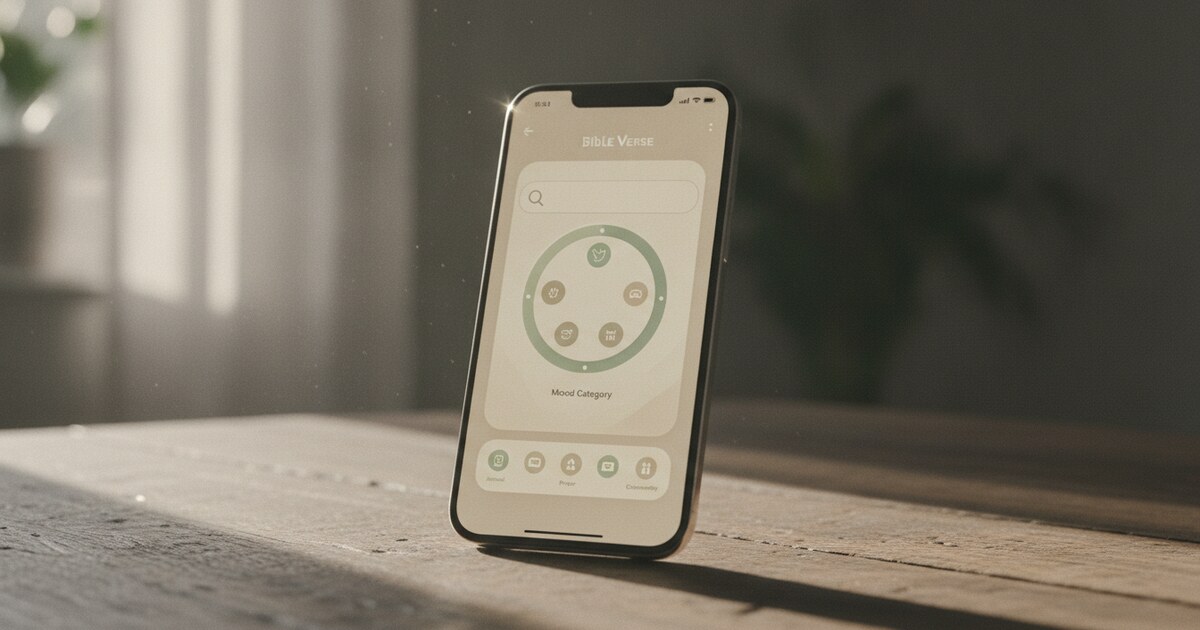
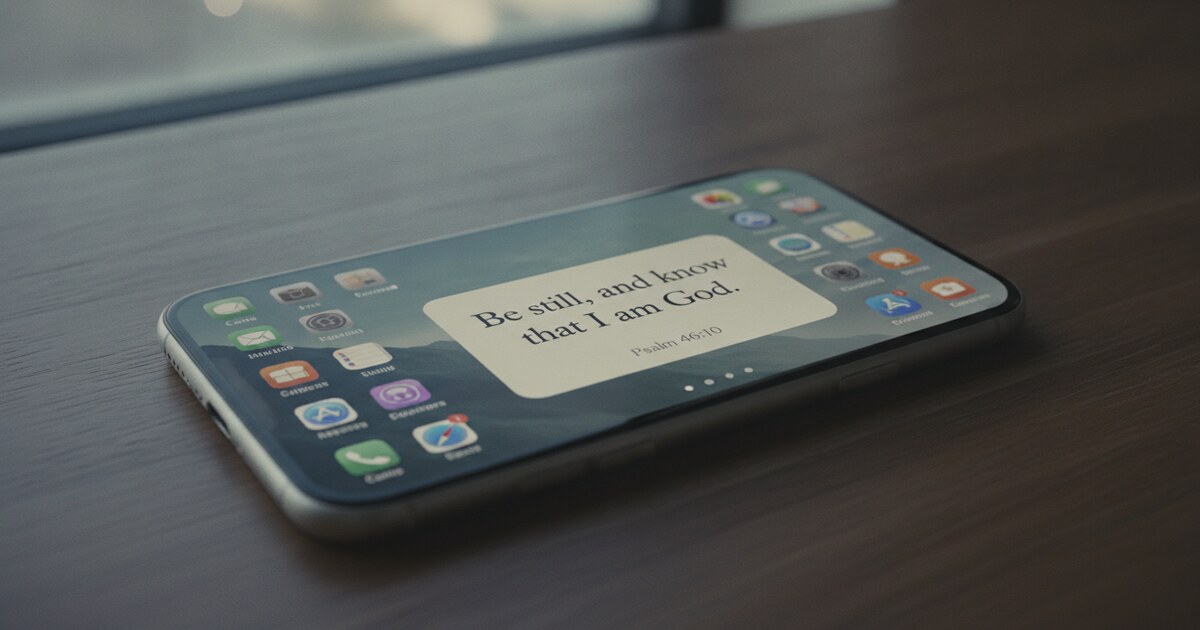
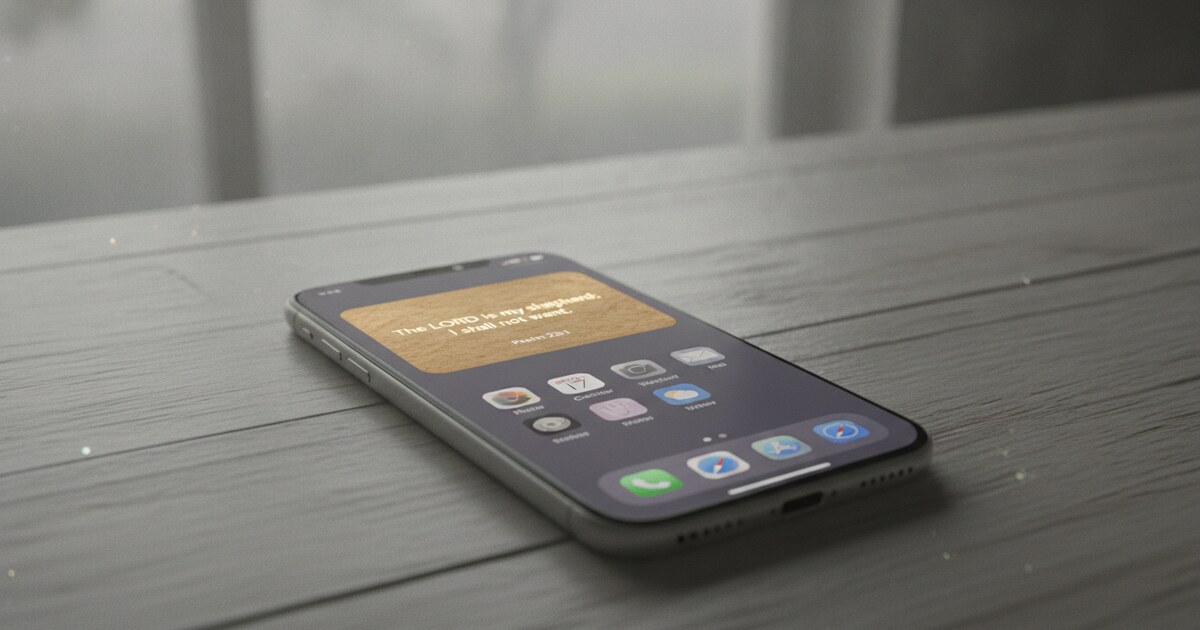
Every new believer hits the same wall around week two: they intend to read, but the app stays closed. Psalmo addresses this problem specifically. Rather than being a Bible reader, it puts Scripture on your home screen and lock screen as a daily widget that refreshes automatically. You see a verse every time you pick up your phone, whether or not you open anything.
The feature that matters most for new believers is app-gating. You pick which apps to block (Instagram, TikTok, YouTube, Snapchat, X) and they stay paused until you read today’s verse. The whole thing takes about 15 seconds. Then everything unlocks for the rest of the day. The result is that Scripture becomes the first thing you engage with before social media, rather than something you get to if you remember.
Psalmo uses KJV and WEB translations (both public domain and free), with 15-plus verse categories including Faith, Peace and Anxiety, Strength, Healing, and Evening Verses. Three sizes of home-screen widget work on iOS and Android. Lock-screen widgets require iOS 16 or later; there’s no Android lock-screen widget option due to a platform constraint Android introduced in 2014. Themes range from Classic and Minimal to Watercolor and Stained Glass.
The free tier covers daily verse display, all three widget sizes, and app-gating. Premium adds AI prayer writing, verse finding, and the full theme library.
For a broader comparison of faith-based app-gating tools, see the best Christian app blockers guide.
Free: Yes, core features free. Premium subscription for AI tools and all themes. Platforms: iOS and Android. Best for: New believers who tend to forget to open apps and want Scripture visible throughout the day without relying on willpower alone.
Pros:
- Home-screen and lock-screen widgets show Scripture without opening anything
- App-gating ties daily verse reading to social media access
- iOS and Android (most competitors are iOS-only)
- Free tier is the real product, not a teaser
Cons:
- Not a full Bible reader (no chapter browsing, reading plans, or commentary)
- Lock-screen widget on iOS only; Android relies on home-screen widget and notifications
- Only KJV and WEB (no NIV or ESV)
3. Blue Letter Bible: Best Free Study Tool
Blue Letter Bible becomes genuinely useful around week four, when curiosity starts producing questions like “what does this word actually mean?” or “where else does this concept appear?” The app is completely free, with 30-plus translations, Hebrew and Greek lexicons, concordances, cross-references, commentaries, and a topical search that links every verse to related passages.
The concordance is the feature worth using early. Type any word (grace, covenant, righteousness, atonement) and see every verse it appears in, alongside the original Hebrew or Greek root word explained in plain language. This is the kind of word-study tool that academic Bible software charges hundreds of dollars for, available at no cost.
The honest caveat: the interface is functional rather than polished. It’s designed for people who want to go deep, not for a clean first-read experience. Use it when a verse confuses you or when a concept keeps appearing and you want to understand it fully. Starting here on day one will likely overwhelm you.
Free: Yes, fully free. No subscription. Platforms: iOS, Android, web. Best for: New believers who get curious fast and want to look up words, context, and cross-references without paying for a study Bible.
Pros:
- Completely free, including all study tools
- Hebrew and Greek lexicons in plain-language format
- 30-plus translations and parallel Bible view
- Offline access available
Cons:
- Interface is dense and less beginner-friendly
- Steeper learning curve than YouVersion or Psalmo
- No reading plans or guided start for beginners
4. Dwell: Best for Audio Learners
Some people absorb Scripture better by hearing it than by reading it. Dwell is built for that learning style. The app has 20-plus professional narrators across a range of accents (American, British, Australian, Kenyan, Brazilian, Salvadoran), 14-plus translations including NIV, ESV, KJV, and NASB, optional background music, and curated listening plans organized by book, theme, and season.
For new believers, the structured listening plans work well as an alternative to YouVersion’s reading plans. Dwell also includes a sleep mode that plays a passage while you fall asleep, which suits people who retain information best through audio at the end of the day.
The limitation is practical: there’s no permanent free tier. After a 7-day trial, it costs $9.99 per month or $59.99 per year. With 3 million installations and 4.9 stars from 85,000 reviews, the subscription has clearly worked for a large audience. If you commute, exercise, or regularly have your hands occupied, the cost tends to pay for itself in consistent engagement you’d otherwise skip.
Free: 7-day trial only; $9.99/month or $59.99/year after. Platforms: iOS, Android, web. Best for: New believers who learn by listening and want high-quality narration instead of self-reading.
Pros:
- 20-plus professional narrators across six accent regions
- 14-plus translations including NIV and ESV
- Sleep mode and background music for nighttime listening
- 3M installs, 4.9 stars from 85K reviews
Cons:
- No permanent free tier (trial only)
- No home-screen widget or app-gating
- Subscription required for ongoing access
5. GodTools: Best for Learning Core Faith
GodTools does something the other four apps on this list don’t attempt. It’s a discipleship tool, not a Bible reader. Built by Cru (Campus Crusade for Christ), it helps users understand the foundations of Christianity through structured resources and conversation guides.
The app includes tools like the Four Spiritual Laws, gospel presentation modules, and training materials that explain what Christian belief means in plain terms. For a new believer still working out what happened when they became a Christian, or what terms like “salvation,” “justification,” and “grace” actually mean, this fills a gap that reading apps don’t address.
GodTools is completely free, available in 100-plus languages, and requires no account to use. Pair it with YouVersion for the first 60 days if you’re starting from scratch on both Scripture reading and Christian doctrine.
Free: Yes, fully free. No subscription or account required. Platforms: iOS and Android. Best for: New believers who want to understand Christian foundations alongside their Bible reading.
Pros:
- Free with no account required
- 100-plus languages
- Specifically designed for new believers and evangelism
- Structured teaching alongside scripture, not instead of it
Cons:
- Not a Bible reader or daily verse app
- Limited ongoing content compared to YouVersion or Dwell
- Low review count (85 App Store reviews) vs. established players
The Best Bible App Pairing for New Believers
Start with two apps, not five. Downloading a full suite in week one is a common mistake: most will gather dust after the first week.
The combination that works for most new believers: YouVersion for guided reading, and Psalmo for daily habit formation. YouVersion tells you where to start and provides short daily sections with context. Psalmo keeps a verse visible on your home screen every day and pauses social apps until you’ve read it. Together they address the two most common failure points in year one: not knowing where to start, and not building a consistent habit.
The pairing also covers different failure modes. YouVersion helps with the “I don’t know what to read” problem. Psalmo helps with the “I keep forgetting to open anything” problem. Both are free at their core, cross-platform, and built around daily use rather than occasional deep dives.
How to Pick the Right Bible App in Year One
Add Blue Letter Bible around month two or three when questions start piling up. Add Dwell if you realize you retain information better through listening. Add GodTools if you want structured teaching on what you believe and why, alongside the Scripture reading itself.
For more on habit-formation tools built around daily verse delivery, see the daily Bible verse reminder app guide.
Consistency matters more than quantity in year one. An app that gets opened every day beats a feature-rich one that stays on your second screen.
Psalmo is free to download on iOS and Android. If consistency is your biggest challenge in year one, the widget and app-gating combination gives you a daily Scripture touchpoint without depending on willpower alone.