
Want a verse on every screen? Psalmo is free.
Best Opal Alternatives in 2026 (For Every Use Case)
Looking for Opal alternatives? You’ve probably hit one of its real limits: it only runs on iPhone and Mac, the free tier caps you at one blocking rule, and the paid plan costs $99.99 a year. That’s a lot to pay for a feature that stops working the moment you go into iPhone Settings.
The app-blocker category has grown enough that you don’t have to accept those trade-offs anymore. There are six solid options in 2026, each built around a different version of the same problem. Some are cheaper. Some cover Android. Some work through gentle friction instead of a hard lock. One uses Scripture as the gate.
The best Opal alternatives in 2026 are Freedom (cross-platform, $39.99/yr), AppBlock (strict Android blocking), One Sec (breathing pause before each app opens), Jomo (iPhone-only, $29.99/yr), ScreenZen (no subscription, donation-supported), and Psalmo (Scripture gate before blocked apps). The right pick depends on your platform, budget, and how strict you need the block to hold.
Why People Look for Opal Alternatives
Opal’s free plan gives you one rule. That’s one schedule for one app or category. Blocking Instagram from 7am to noon and TikTok after 9pm requires the paid plan.
The paid plan runs $99.99 a year ($8.29/month). Freedom offers comparable scheduling for $39.99 a year ($3.33/month). Jomo charges $29.99 a year. One Sec runs $19.99 a year. Even with the extra features Opal bundles in, it’s priced at the top of the market for single-platform coverage.
The platform wall is the issue most people don’t anticipate until they’re already committed. Opal works on iPhone, iPad, and Mac. Android and Windows don’t exist in Opal’s world.
And on the free plan, you can exit a blocking session early through iPhone Settings. Opal’s Deep Focus mode, which prevents that, requires the paid plan.
App-blocking software crossed from niche productivity tool into mainstream consumer category between 2020 and 2024. Opal launched in late 2020 and reached 89,000+ App Store ratings by 2026, sitting at 4.7 stars. The category now includes over a dozen apps, ranging from free donation-supported tools to $399 lifetime licenses. Opal’s free plan caps users at one blocking rule; the paid plan runs $99.99 per year. A 2023 IDC study found 79% of smartphone users felt their phone distracted them from what they intended to do. Separate research by Phillippa Lally at University College London found habit change takes an average of 66 to 254 days, which means a blocking app needs to hold up long-term, not just survive a week of motivation. The practical gaps that push users toward alternatives are: no Android support, the one-rule free-plan ceiling, and Hard Mode sitting behind the paid subscription.
Freedom: Best Opal Alternative for Cross-Platform Blocking
Best for: Android users, Windows users, and anyone who wants one app across all devices.
Freedom works on iOS, Android, macOS, Windows, and Chromebook. You can set a session on your iPhone and have it propagate to your Mac and PC at the same time. That’s the core thing Opal can’t do.
The free tier lets you run manual blocking sessions with basic blocklists, sync across devices, and build custom block lists. The paid plan adds scheduling, recurring sessions, and Locked Mode, which prevents early cancellation the way Opal’s Deep Focus does. Freedom Premium costs $39.99 a year ($3.33/month) or $99.50 as a lifetime purchase.
Opal’s interface is more polished and its iOS blocking more granular. But if Android is anywhere in your day, Freedom handles it and Opal doesn’t.
Pricing verified from freedom.to/pricing.
AppBlock: Best Opal Alternative for Strict Android Blocking
Best for: Android-first users who need enforcement that holds up when willpower doesn’t.
AppBlock runs on iOS, Android, and as a browser extension for Chrome, Edge, and Brave. It has over 15 million users and holds a 4.86-star average rating, per the developer’s published figures.
The standout feature is Strict Mode, which adds a cooldown period before you can disable blocking and requires third-party approval to override entirely. That’s a meaningful step past standard app limits, which most people can bypass in about 10 seconds on a bad day.
AppBlock also blocks websites through its browser extension, something Opal doesn’t offer at all on Android. The free tier handles basic blocking and scheduling. The paid tier adds Allowlist Mode (block everything except the apps you designate), detailed usage reports, and multi-device sync.
If you’re on Android and want a blocker that has genuine teeth, AppBlock is the practical answer.
Features verified from appblock.app.
One Sec: Best Opal Alternative for Gentle Friction
Best for: People who find hard blocks too blunt, or who keep uninstalling blockers by day three.
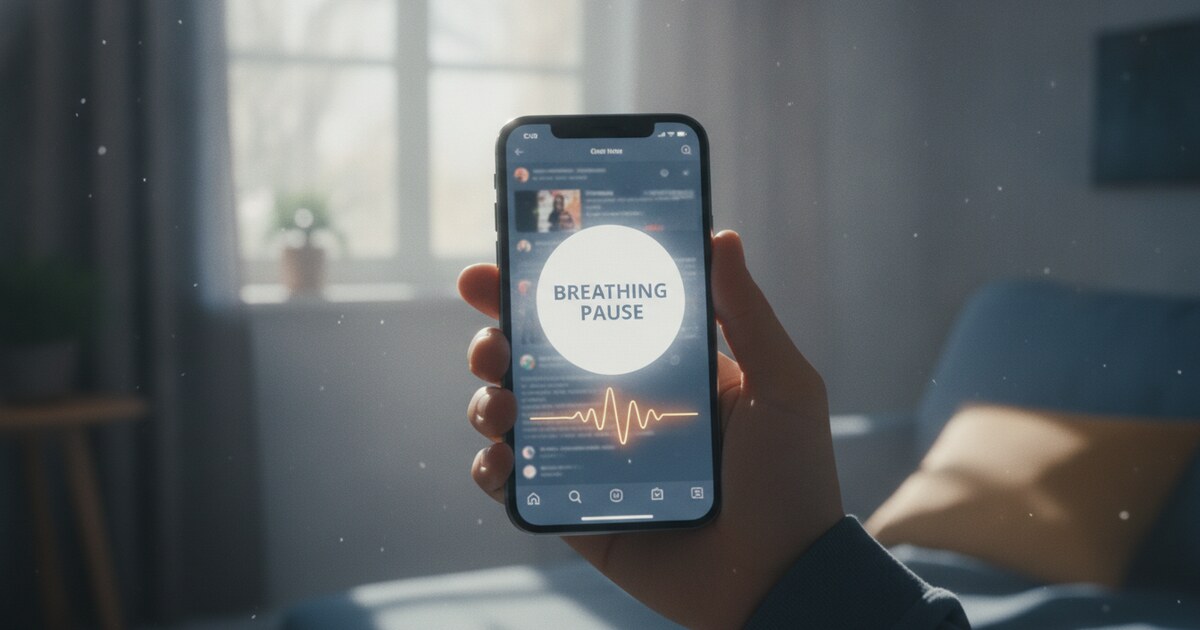
One Sec doesn’t block apps. It intercepts the unconscious tap and shows a short breathing animation before the app opens. That one-second pause is enough to break the reflex without the all-or-nothing pressure of a hard block. The developer cites research showing average app usage drops 57% with this approach.
It runs on iPhone, iPad, and Mac (iOS 15 or later). The free tier lets you configure one app. Paid plans run $19.99 a year, $6.99 a month, or $99.99 for a lifetime license. There’s also a Re-Intervention feature that kicks you out of an app mid-scroll and requires another pause to get back in.
The difference from Opal is philosophical. Opal tries to stop the behavior entirely. One Sec puts a pause in front of it. For people who’ve tried hard blocks and found themselves gaming around them, One Sec’s friction approach tends to stick longer.
Pricing and features verified from the App Store listing (One Sec, id 1532875441).
Jomo: Best iPhone-Only Opal Alternative
Best for: iPhone users who want Opal’s core features at a lower annual price.
Jomo runs on iPhone, iPad, and Mac (iOS 16 or later). It uses Apple’s Screen Time API and holds a 4.8-star rating from about 2,500 App Store reviews.
The paid plan runs $29.99 a year, compared to Opal’s $99.99. For that you get Strict Mode, multiple screen budgets, and Apple Health integration. There’s a 3-day free trial on the annual plan.
What Jomo doesn’t have is Opal’s gamification layer. No gems, no streaks leaderboard, no focus session XP. If those features keep you motivated, stick with Opal. If you mostly want reliable scheduling and enforcement without paying $100 a year, Jomo covers the same ground at 30 cents on the dollar.
Pricing and features verified from the App Store listing (Jomo, id 1609960918).
ScreenZen: Best Free Opal Alternative
Best for: Anyone who won’t add another subscription to their stack.
ScreenZen is donation-supported. No subscription, no paywall, no free tier with artificial limits. The developer asks for a contribution if you find it useful, but nothing is gated.
The app runs on iOS and holds a 4.8-star rating from over 30,000 reviewers. It’s been cited in the New York Times. For a free tool, that kind of sustained rating with high review volume is a real signal of reliability.
The trade-off is a narrower feature set. No analytics dashboard, no gamification, no cross-device sync, no Android. But for the core goal of stopping the Instagram reflex 40 times a day, ScreenZen handles it without charging you for the privilege.
Features verified from screenzen.co.
Psalmo: Best Opal Alternative for Faith-Based Screen Time
Best for: Christians who want Scripture as the gate instead of a timer or countdown.
Psalmo works differently from every other app on this list. When you try to open a blocked app, it shows you a Bible passage first. You read it, then the app opens for a window you set (15 minutes, 30 minutes, 1 hour, 2 hours, or 4 hours). No countdown, no automatic shutdown. You stay in control, but the friction is connected to something intentional.
The free plan lets you block up to 3 apps on one schedule. On iPhone, it also adds home-screen and lock-screen widgets showing today’s Bible verse, so you see something worth reading before you even reach for a distracting app. The app works on iOS and Android.
Premium adds unlimited app blocking, all 26 themes, custom photo backgrounds, and AI Bible chat. On iPhone, Premium also adds category and website blocking through Apple’s Screen Time permission. Android blocking is apps-only at this tier.
Psalmo doesn’t have a Hard Mode equivalent. You can turn blocking off at any time. It’s a discipline tool, not a parental control. For people who find hard locks too rigid and want the pause to mean something, that’s the right trade-off.
For a full comparison across the Christian app-blocker category, the best Christian app blocker roundup covers eight options side by side.
Choosing Between These Opal Alternatives
| If you want… | Best pick |
|---|---|
| Android, Windows, and Mac support | Freedom |
| Strict Android blocking with bypass protection | AppBlock |
| Gentle friction, not a hard block | One Sec |
| iPhone-only, cheaper than Opal | Jomo |
| No subscription at all | ScreenZen |
| Scripture before every blocked app | Psalmo |
Opal stays worth the price if you’re already on its paid plan and getting real value from the focus analytics and leaderboards on iPhone. The $99.99/yr makes less sense if you’re still on the free tier and hitting the one-rule wall.
For more on managing screen time without going cold turkey, see apps that limit social media and how to block apps at certain times on iPhone.
Frequently Asked Questions
Is there a free alternative to Opal?
Yes. ScreenZen is completely free and donation-supported, with no subscription and no artificial feature locks. Freedom and AppBlock both offer free tiers that cover basic blocking and scheduling. ScreenZen is the simplest option if you don’t want to pay anything.
What’s the best Opal alternative for Android?
Freedom is the most flexible, covering iOS, Android, Mac, Windows, and Chromebook. AppBlock is worth considering if you need stricter enforcement on Android, with its Strict Mode and third-party approval requirement to prevent bypassing in the moment.
Does Psalmo block apps the same way Opal does?
Both let you choose which apps to block and set a schedule. The difference is the unlock mechanism. Opal uses a timer or session limit. Psalmo shows a Bible passage first; after you read it, the app opens for the window you chose (15 minutes to 4 hours). The blocking is similar. The reason to pause is different.
Is Opal Pro worth the price compared to these alternatives?
Opal’s Deep Focus mode, focus analytics, and gamification (gems, streaks, leaderboards) are genuine advantages. If those change your behavior, $99.99/yr is reasonable. If you mostly want scheduling and basic enforcement, Freedom at $39.99/yr or ScreenZen for free cover the same need at lower cost.
Psalmo is free to download on iOS and Android. If you want a Bible verse on your home screen every morning and Scripture as the gate before your most distracting apps, it’s worth trying alongside whatever blocker you settle on. Get Psalmo free on iOS and Android.