
Want a verse on every screen? Psalmo is free.
Prayer Lock App Review: A Mood-Matched Prayer Gate (2026)
The Christian app-blocker category has grown enough that the real question isn’t whether to use one. It’s which one matches how you actually pray. Prayer Lock enters with a specific answer: short prayers matched to your current mood, running as a gate before Instagram or TikTok will load on your iPhone.
I tested Prayer Lock alongside the other six apps covered in the best Christian app blocker roundup for 2026. Here’s what it does well, where it falls short, and how it stacks up against Psalmo.
Prayer Lock is an iOS-only Christian app blocker that gates chosen social apps behind a short, mood-matched prayer prompt. It sits between Holy Focus’s longer liturgical prayers and Bible Pause’s verse-only approach. The gate is iOS-only, with no home-screen or lock-screen widgets and no daily verse notifications, but it includes a family-friendly content tier for households with children.
This review covers the gate mechanic, the prayer system, the setup flow, and the honest limitations before the side-by-side comparison with Psalmo.
What Prayer Lock Does
The Christian app-blocker category grew from 2 apps in 2022 to at least 7 by mid-2026, including Bible Mode, FaithLock, Sanctum, Pray Screen Time, Psalmo, Bible Pause, and Prayer Lock. DataReportal’s 2025 Global Digital Report puts average daily screen time at 4 hours 37 minutes. Pew Research 2024 data shows 62% of U.S. Christians own smartphones, with 45% using social media daily. IDC’s 2023 Smartphone Habits study found 79% of users check their devices within 15 minutes of waking. Prayer Lock sits in the prayer-gate segment of the category alongside Holy Focus, using a prayer rather than a Bible verse to interrupt the scroll reflex. Where Holy Focus relies on a fixed liturgical library of 300+ structured prayers, Prayer Lock takes a different approach: shorter prayer prompts matched to the user’s current mood, with a family-friendly content tier designed for households where children share devices. The gate runs through Apple’s Screen Time API, so it can’t be bypassed by deleting the app from the device.
Once you grant Screen Time permissions, Prayer Lock intercepts any blocked app you try to open. You complete a prayer prompt, the app unlocks for the rest of the day, and the gate resets at midnight.
The Mood-Matched Prayer System
The mood-matching mechanic is what separates Prayer Lock from the other prayer-gate apps in the category. Before your prayer prompt appears, you pick your current emotional state from a short list. Prayer Lock then surfaces a prayer written for that specific state rather than pulling from a single fixed daily rotation.
The prayers run shorter than Holy Focus’s liturgical texts. Where Holy Focus delivers 80-140 words of structured written prayer, Prayer Lock prompts are more compact, closer to a Bible verse in length but structured as a first-person prayer rather than scripture. For users who found Holy Focus’s depth hard to sustain every time they reach for their phone, this is a workable middle ground.
The family-friendly tier swaps adult prayer themes for age-appropriate content. If you’re setting up Prayer Lock on a phone children use, or running it as a household screen-time system across shared devices, that tier makes the app usable without editing the prayer library yourself. It’s one of the few features in the whole category that acknowledges shared-device households rather than assuming a single adult user.
Setting Up Prayer Lock
First-run setup takes about five minutes.
Download Prayer Lock from the App Store and open it. The app walks you through the Screen Time permission flow, which requires your existing Screen Time passcode or creates one if you haven’t set it up. Once permissions are in place, you select the apps you want to gate from your installed library.
Per-app control works reliably on iOS 16 and newer. On older iOS versions, some apps appear under Screen Time category groupings rather than individually, which can mean the gate applies to an entire app category instead of a specific app. That’s a Screen Time API limitation, not specific to Prayer Lock, but it affects how granular your setup can get on older hardware.
After selecting your apps, choose whether to use the family content tier. The gate activates immediately. Unlike Holy Focus, which lets you set an active-hours window to exclude certain times of day, Prayer Lock runs all day without a schedule toggle. If you have a work window where you legitimately need a gated app without a prayer prompt, there’s no built-in way to carve that out.
Where Prayer Lock Works Well
The mood-matching mechanic changes the gate experience in a real way. A verse-first app presents the same daily verse whether you’re reaching for Instagram at 7am, stressed at 2pm, or bored at 10pm. Prayer Lock asks you to name where you are before it meets you there. That extra step introduces a moment of actual self-reflection before the scroll reflex can take over.
The shorter prayer length is a practical advantage for daily use. It’s long enough to be a genuine pause, short enough that you won’t start treating it as busy-work to get through as fast as possible. Users who found Holy Focus’s longer liturgical prayers hard to sustain across every app-launch attempt in a day may find Prayer Lock’s pacing more manageable over the long term.
The family tier serves a real household need that the rest of the category ignores. Parents who want a prayer gate on a shared home device, or who are setting up screen-time accountability for teenagers, have a reason to reach for Prayer Lock that doesn’t apply to any other app in the category.
Honest Limitations
iOS-only. Prayer Lock doesn’t run on Android. For cross-platform households, the only two options in the category are Psalmo and Pray Screen Time. The full Christian app blocker comparison has a breakdown of which apps work on which platforms.
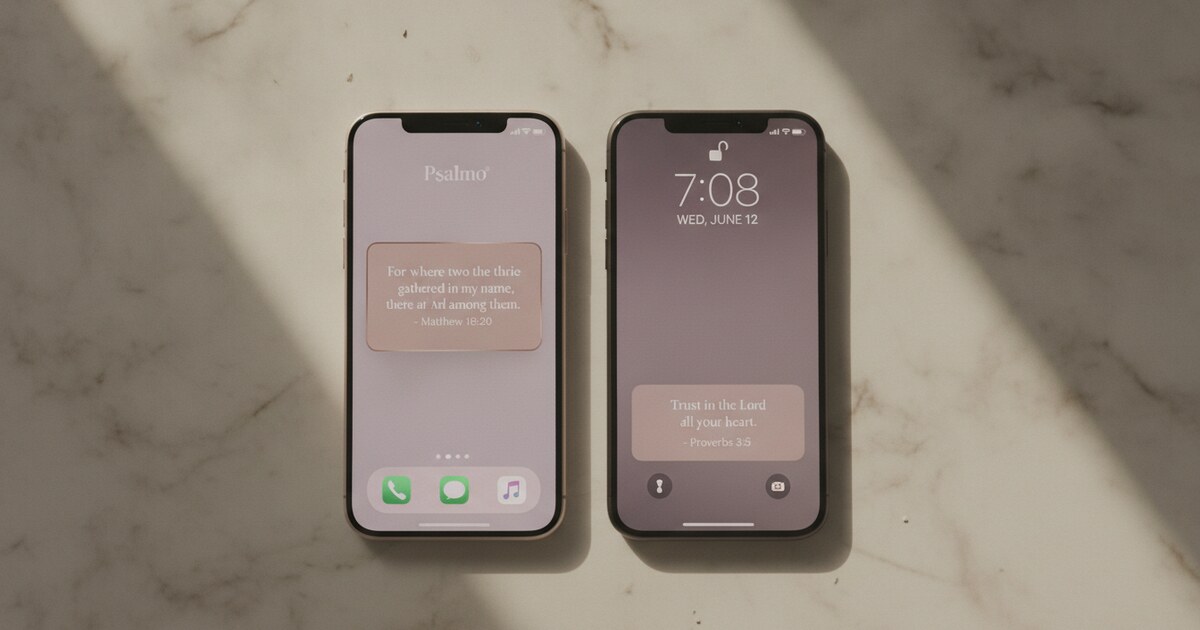
No widgets. Between gate sessions, Prayer Lock has no presence on your phone. Your home screen and lock screen carry nothing. You only see the app when you try to open something that’s blocked. Psalmo covers this gap with three home-screen widget sizes and lock-screen widgets on iOS 16+, so Scripture stays visible throughout the day rather than only appearing as a gating mechanic.
No daily notifications. Prayer Lock doesn’t send a morning prayer or verse reminder. The only time the app appears is at the moment you reach for a blocked app. Psalmo covers daily verse notifications at a user-set time, which adds a devotional touchpoint independent of the gate.
No schedule controls. Holy Focus lets you define active hours so the gate doesn’t intercept apps during a work window. Prayer Lock runs continuously without a time-window setting. If your job requires access to a gated app during certain hours, you’d need to temporarily disable the gate entirely rather than having it step aside automatically.
Limited per-app control on older iOS. The Screen Time API handles per-app selection reliably on iOS 16+. On iOS 15 and older, some apps end up in category buckets rather than individual selection. This affects a smaller slice of users in 2026, but it’s worth checking before you set up the gate on older hardware.
Prayer Lock vs Psalmo
Both apps gate social media behind faith content. The difference is the gate mechanic, the prayer content, and everything that happens between gate sessions.
| Prayer Lock | Psalmo | |
|---|---|---|
| Platform | iOS only | iOS + Android |
| Gate content | Prayer (mood-matched, shorter prompts) | Daily Bible verse (KJV or WEB) |
| Gate mechanic | Mood-select, then pray through prompt | Read verse to engage before unlocking |
| Home-screen widgets | None | 3 sizes (small, medium, large) |
| Lock-screen widgets | None | iOS 16+, 3 accessory shapes |
| Daily notifications | None | Yes, user-set time |
| Verse categories | No | 15+ (Faith, Peace, Strength, and more) |
| Family / child-friendly mode | Yes | No dedicated family tier |
| Schedule controls | No | No (gate runs all day) |
| AI prayer assistant | No | Premium (prayer generator, verse finder, explanation) |
| Aesthetic themes | None | 15+ themes (3 free, all on premium) |
| Free tier | Yes | Yes (full gate + full KJV and WEB library) |
Prayer Lock’s mood-matching mechanic is the most distinctive feature in the category, and the family tier serves a household use case nothing else covers. If those two things match your situation, it earns a download.
Psalmo wraps the gate in a larger scripture ecosystem: the verse visible on your lock screen before you wake up, a home-screen widget throughout the day, the app-blocking gate when you reach for a blocked app, 15 verse categories, and an AI prayer assistant on premium. It covers iOS and Android, and the free tier includes the full KJV and WEB library alongside the gate and three home-screen widget sizes on both platforms. For the prayer-depth end of the spectrum, the Holy Focus review covers the 300+ liturgical prayer library that sits at the opposite extreme from Prayer Lock’s shorter prompts.
Frequently Asked Questions
Is Prayer Lock free?
Prayer Lock has a free tier that covers the core gate function with a rotating set of mood-matched prayers. Premium unlocks the full prayer library, the family content tier, and category filtering. The free tier is enough to run the gate daily and decide whether the mood-matching approach holds up in practice before committing to a subscription.
Does Prayer Lock work on Android?
Prayer Lock is iOS-only. Android users need a cross-platform option: Psalmo and Pray Screen Time both support Android. Psalmo’s Android app uses WorkManager for reliable daily verse delivery, and the free tier includes the verse gate, three home-screen widget sizes, and the full KJV and WEB verse library on Android.
What apps can Prayer Lock block?
Prayer Lock gates apps through Apple’s Screen Time API, so you can select from anything on your device: social apps, games, streaming services, or browsers. Per-app control works reliably on iOS 16 and newer. On older iOS versions, some apps may appear in Screen Time category groupings rather than individually, which can affect how granular your selection gets.
How does the mood-matching work in Prayer Lock?
Before the prayer prompt appears, Prayer Lock asks you to pick your current mood from a short list. The app then surfaces a prayer written for that emotional state rather than a fixed daily rotation. The prayers run shorter than Holy Focus’s liturgical texts but are structured as first-person prayers rather than Bible verses, creating a middle ground between a verse gate and a full liturgical experience.
Does Prayer Lock have Bible verse widgets?
Prayer Lock is a gate-only app. It places no Scripture or prayer on your home screen or lock screen, and it sends no daily verse notifications between gate sessions. For always-visible Scripture alongside an app-blocking gate, Psalmo covers home-screen widgets in three sizes, lock-screen widgets on iOS 16+, and daily verse notifications on both iOS and Android.
Prayer Lock gives the category something it was missing: a gate that responds to where you are emotionally, and a family-friendly tier for shared devices. For iPhone households with kids on shared screens, or users who want a prayer prompt that meets them in their actual mood rather than delivering the same verse every time, it fills a gap the other apps leave open.
If you want Scripture visible before you even open your first app, a verse gate that works on both iOS and Android, home-screen and lock-screen widgets, and a 15-category verse library, Psalmo covers all of that in one free download. Download Psalmo from the App Store or Google Play.