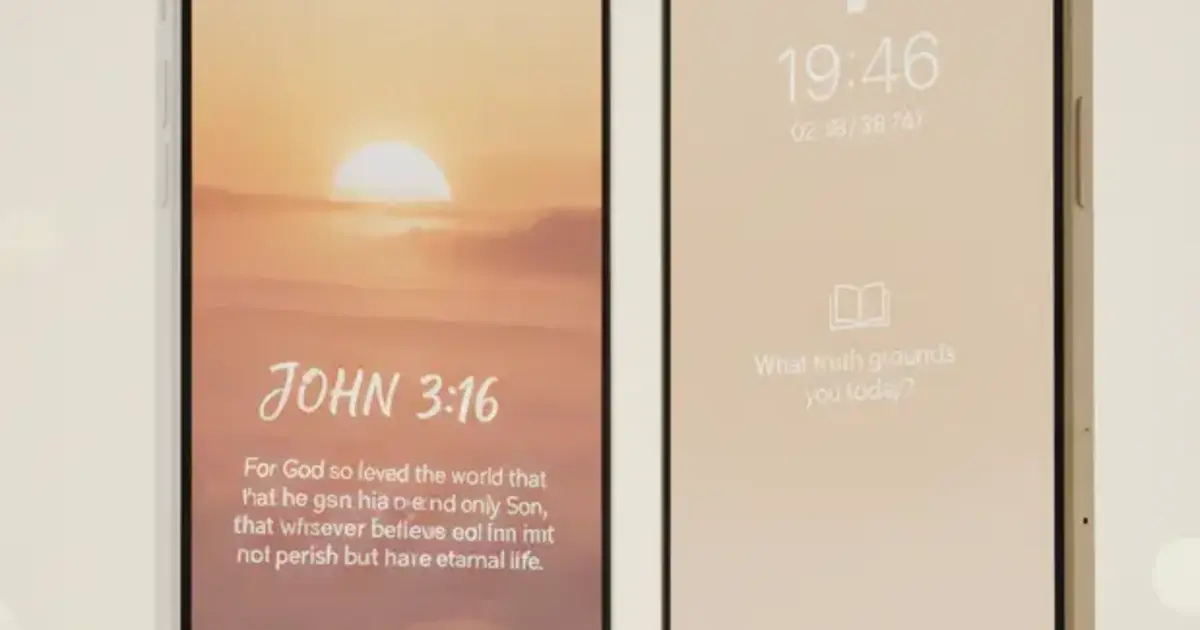

Want a verse on every screen? Psalmo is free.
Two apps put a Scripture gate between you and your social media. Psalmo and FaithLock both block Instagram, TikTok, and other apps until you’ve read today’s Bible verse. This Psalmo vs FaithLock comparison covers what actually separates them so you can pick the right one and move on.
The answer often comes down to one factor: platform. Psalmo runs on iOS and Android. FaithLock is iOS-only. For anyone on Android, that ends the discussion. If you’re on iPhone and both apps are available, the rest of this article covers what goes deeper: blocking mechanics, widget layers, free-tier depth, and which design experience each app delivers.
Psalmo and FaithLock both gate social media apps behind a daily Bible verse on iPhone using Apple’s Screen Time API. Psalmo’s key advantages are Android support, home-screen and lock-screen widgets in 15+ themes, and a genuine free tier. FaithLock is iOS-only, has no widget layer, and puts most features behind a subscription.
How Psalmo vs FaithLock Block Your Apps
At the core, both apps use the same approach: plug into your phone’s OS-level blocking system and hold the gate closed until today’s verse is read.
Both apps wire into the OS-level blocking layer: Apple’s Screen Time API on iPhone, and Android’s Digital Wellbeing API on Android. When you open a gated app (Instagram, TikTok, X, YouTube, or Snapchat) before reading your verse, the OS itself blocks access. Open Psalmo, read today’s verse, and every gated app clears until midnight.
FaithLock uses the same Screen Time API on iPhone to gate your chosen apps. Open a gated app, face the Scripture prompt, complete it, and the apps unlock. Both apps let you configure the list of gated apps: pick which ones to pause and edit that list any time in settings.
Psalmo covers both iOS and Android. FaithLock is iOS-only. If your household has a mix of iPhone and Android devices, or you carry an Android work phone, Psalmo is the only option in this category that runs on both operating systems. Most lock-apps-to-read-Bible competitors are iOS-only; Psalmo is the exception.
The practical difference beyond platform: Psalmo pairs the blocking gate with a full widget layer and 15 verse categories. The gate anchors the morning habit; the widgets keep Scripture visible throughout the rest of the day. FaithLock focuses on the blocking mechanic without a widget layer attached.
Platform Coverage in the Psalmo vs FaithLock Comparison
Psalmo runs on iOS 16+ and Android 8+. FaithLock is iOS-only as of mid-2026, with no Android version available.
For Android users, there’s no comparison to make here. Psalmo is the main cross-platform option in the Bible-verse-gate category. Our roundup of apps that lock social media until you read the Bible has a full table of cross-platform options if you want to see how other apps stack up.
Mixed-device households land on Psalmo by default. If one person uses an iPhone and another uses Android, FaithLock only covers the iPhone user. Psalmo covers both.
One note on Android lock screens: Android removed lock-screen app widgets in Android 5.0 (2014), so neither Psalmo nor FaithLock can put a scripture widget on an Android lock screen. That’s a platform constraint. Psalmo’s home-screen widgets work on Android. iOS lock-screen widgets (rectangular, circular, and inline) work on iPhone running iOS 16+.
Widgets, Themes, and the Design Layer
Psalmo ships a full widget layer. Home-screen widgets come in small, medium, and large. Lock-screen widgets (iOS 16+ only) come in 3 shapes: rectangular, circular, and inline. Each widget pulls a fresh verse daily, refreshing at midnight by default, or hourly if you change the setting.
Themes cover 15+ styles: Classic, Dark, Minimal, Sunrise, Ocean, Forest, Marble, Rose Gold, Night Sky, Watercolor, Vintage, Pastel, Gold Leaf, Modern, Chalkboard, and Stained Glass. Free users get Classic, Dark, and Minimal. Premium opens the full library plus custom photo backgrounds for any widget size.
FaithLock doesn’t include a widget layer. There are no home-screen or lock-screen widgets.
If seeing Scripture on your phone’s home screen throughout the day matters to you, that gap is significant. Our iPhone home screen Bible widget setup guide walks through the full Psalmo widget setup, including Smart Stack support.
Pricing and Bible Translations
Psalmo’s free tier includes the daily verse widget (all three sizes), the iOS lock-screen widget, 3 themes (Classic, Dark, Minimal), the app-blocking gate, verse sharing, daily notifications, and both KJV and WEB translations. Premium unlocks all themes, custom photo backgrounds, and AI features: prayer generation, verse finder, verse explanation, and weekly reflection prompts.
FaithLock is free to download, but more functionality sits behind a subscription. The free tier is more restricted than Psalmo’s.
On translations: Psalmo carries KJV and WEB only, both public domain. This means Psalmo can offer those translations at no cost without licensing fees. FaithLock supports a broader translation set. If you need NIV, ESV, NLT, or MSG, Psalmo’s library doesn’t cover them. For translation range, FaithLock has the edge.
How Psalmo Helps
The daily routine Psalmo builds is simple. Before any gated app opens, your verse is waiting. Open Psalmo, read from one of your active categories (Faith, Peace & Anxiety, Strength & Courage, Gratitude, Healing, Wisdom, Hope, Forgiveness, and 7 more), and your apps unlock for the day.
The widget layer carries Scripture beyond the morning gate. Your lock screen shows a verse when you’re not unlocking apps. Home-screen widgets in 3 sizes surface a verse wherever it fits your layout. A streak indicator tracks consistent daily readings without penalizing gaps.
For users who want both the behavioral gate and the visual layer of Scripture on every screen, Psalmo delivers both in one app. Download Psalmo free on the App Store or Google Play. The widget and blocking gate take about 5 minutes to configure.
Frequently Asked Questions
Does FaithLock work on Android?
FaithLock is iOS-only as of mid-2026. There’s no Android version. If you’re on Android, Psalmo is the main cross-platform option in this category, bundling app-blocking with Bible verse widgets on both iOS and Android. Our FaithLock alternatives guide covers more options if you want a broader comparison.
Which app has a better free tier?
Psalmo’s free tier includes the widget layer (home-screen and lock-screen), the app-blocking gate, 3 themes, verse sharing, and both KJV and WEB translations. FaithLock’s free tier is more limited, with most functionality behind a subscription. For free-tier depth, Psalmo has the advantage.
Can I use Psalmo on both my iPhone and Android phone?
Yes. Psalmo runs on iOS 16+ and Android 8+. FaithLock is iOS-only. If you switch between devices or use both an iPhone and an Android, Psalmo is the only option here that works on both.
Does Psalmo let me choose which apps to block?
Yes. You pick from Instagram, TikTok, X, YouTube, and Snapchat. Block one, all five, or any combination. The list is editable any time in Psalmo’s settings. The gate clears once you’ve read today’s verse, and all blocked apps stay open for the rest of the day.
Do Psalmo and FaithLock support the same Bible translations?
Psalmo carries KJV and WEB only, both public domain. FaithLock supports a broader set including NIV and ESV. If your reading requires NIV, ESV, NLT, or MSG, Psalmo’s translation library doesn’t cover them. If KJV or WEB works for you, Psalmo’s free tier gives you both with no paywall.
Which One Should You Download?
Psalmo and FaithLock share the same core idea: put Scripture between you and your apps. Where they separate is everything else.
FaithLock is a focused iOS blocking app with a broader translation library. If you’re on iPhone and translation variety matters most, it’s worth a look.
Psalmo covers a wider use case: cross-platform support, a full widget layer with 15+ themes, a genuine free tier, and AI prayer features on premium. It’s the only option in this comparison that runs on Android, and the only one that keeps Scripture visible on your home and lock screen beyond the morning gate. Download Psalmo free on the App Store or Google Play and have both the blocking gate and your first widget set up in about 5 minutes.




