Want a verse on every screen? Psalmo is free.
God’s Word on Your Lock Screen: How to Set It Up (2026)
Most people check their phone 96 times a day, according to Asurion’s 2023 research. That’s 96 moments where the first thing you see could be a notification badge, a news alert, or a verse from Scripture. Getting God’s Word onto your lock screen turns a reflex into a small act of attention.
To put God’s Word on your lock screen, download Psalmo, long-press your iPhone lock screen, tap Customize, and add the Psalmo widget to a slot above or below the clock. Setup takes about five minutes on any iPhone running iOS 16 or later. On Android, the home-screen widget is the closest option; Google removed lock-screen widgets from Android in 2014.
This guide covers why the lock screen is worth the five minutes, how to set it up on both platforms, and how to pick the right verse for where you are right now.
Why God’s Word Belongs on Your Lock Screen
The lock screen is the one part of your phone you can’t skip. According to Asurion’s 2023 research, the average person checks their phone 96 times a day, nearly once every ten minutes of waking hours. Before each unlock, the lock screen shows you whatever you put there: the time, a photo, or a verse from Scripture. For most people it’s notifications; for people who want their faith to shape their day, it’s an opening. Psalm 119:105 describes the Word as “a lamp unto my feet, and a light unto my path” (KJV). A lamp works when you hold it close, not when it sits on a shelf. University College London’s 2010 habit research found that attaching a new behavior to an existing cue is more effective than building a standalone routine. The phone unlock is already a habit, repeated 96 times a day. The verse is the new behavior. The lock screen is the hinge between them, and it costs five minutes to set up.
Keeping Scripture in front of you throughout the day has a long tradition. The command in Deuteronomy 6:8-9 to write God’s words “upon the door posts of thine house, and upon thy gates” (KJV) was about making the Word unavoidable in daily movement.
A lock-screen verse is a modern door post. You don’t have to schedule a quiet time to see it. You just pick up your phone.
How to Put God’s Word on Your iPhone Lock Screen
Apple added lock-screen widget slots in iOS 16, released September 12, 2022. Any iPhone running iOS 16 or later can show a Bible verse in the customizable area above or below the clock.
Here’s the full setup with Psalmo:
- Download Psalmo from the App Store. No account is required.
- Open Psalmo and tap the topic selector on the home screen. Pick the category that fits your season: Faith, Prayer, Hope, Love, Jesus Christ, or General.
- Long-press an empty area of your lock screen until the edit mode appears.
- Tap Customize, then select Lock Screen.
- Tap the widget area above or below the clock. A + button appears for each open slot.
- Find Psalmo in the widget list and choose a shape:
- Rectangular — full verse text plus the reference. Best if you want to read the whole verse at a glance.
- Circular — the Psalmo icon. Good for small spaces or minimal setups.
- Inline — the scripture reference only, displayed above the time.
- Tap Done, then Set as Wallpaper Pair if prompted.
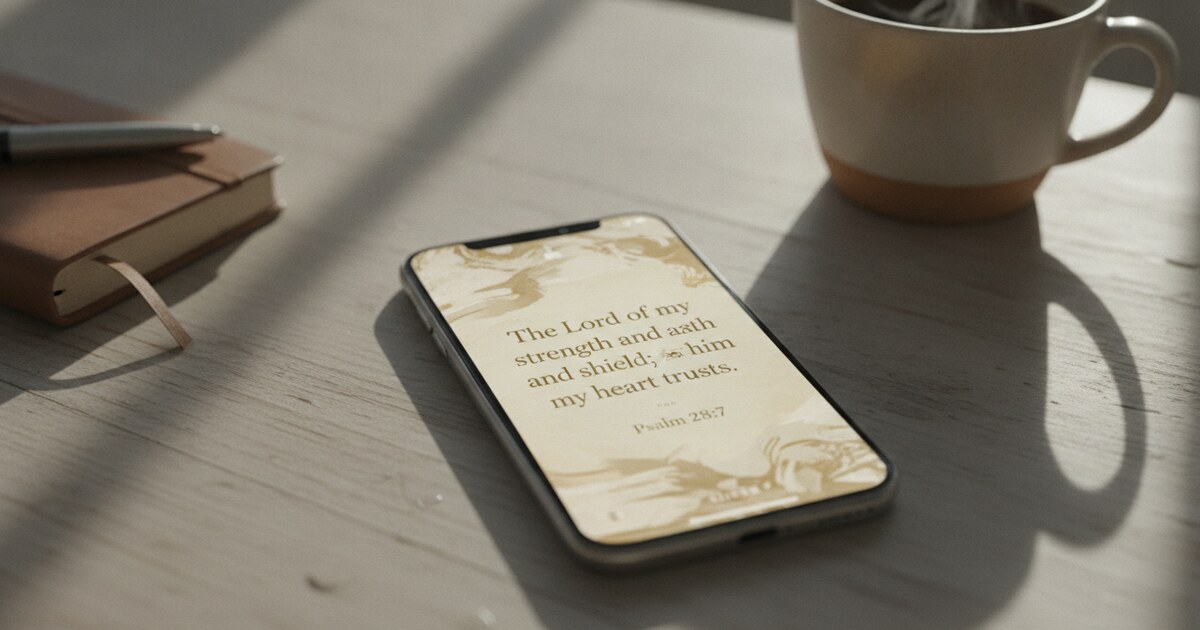
The rectangular widget fits naturally below the clock on most lock screens, and today’s verse will appear every time you wake the phone. For a more detailed walkthrough, see our full iPhone lock screen guide.
God’s Word on an Android Lock Screen
Android’s situation is different and worth being upfront about. Google removed lock-screen widget support in Android 5.0, released November 2014. The feature had existed since Android 4.2 (October 2012) but was pulled after low adoption.
As of Android 16, there’s no native equivalent of iPhone’s lock-screen widget slots.
Three options work on Android:
Home-screen widget. The closest match to the iPhone experience. Place Psalmo’s home-screen widget on your main home screen and you’ll see today’s verse the moment you swipe past the lock screen. It’s one tap away rather than visible before unlock, but on most Android phones that’s a very short distance. Available in small, medium, and large sizes on Android 7.0 and later.
Daily reminder notification. Psalmo sends a daily verse notification at the time you set in Settings → Preferences → Daily reminder. Android shows notifications on the lock screen by default, so the verse appears there each day at your chosen time without any extra setup.
Lock-screen wallpaper. Some Android launchers and wallpaper apps let you set a daily verse image as your lock-screen background. This is a static image rather than a live widget, but it keeps Scripture visible before you unlock.
Combining the home-screen widget with a morning reminder gets close to the always-on iPhone experience.
Choosing Which Scripture Appears on Your Lock Screen
Psalmo’s verse topics let you shape what you read. The free plan includes six: General, Love, Faith, Jesus Christ, Prayer, and Hope. Premium opens more than 50 categories.
A few ways to think about the choice:
Match the season you’re in. Going through something difficult? The Hope or Strength category tends to surface passages that speak to hardship. Starting something new? Faith or Jesus Christ might serve better.
Let General run. If you’re not sure where to start, General covers the full range of Scripture. Practical wisdom on a hard day, praise on a good one. It tends to surprise people who expect something predictable.
Follow a book. Psalmo’s “Read a book day by day” feature sends one chapter a day from whichever book you choose. This works through the Bible reader, not the lock-screen widget, but reading a chapter before reaching for social media pairs well with a lock-screen verse as the first cue.
You can save any verse using the heart icon. Favorites stay in the app and don’t affect the widget rotation, so you can build a personal library without interrupting the daily feed. For a complete look at all three lock-screen widget shapes and verse topic setup, see our daily Bible verse lock screen widget guide.
How Psalmo Helps You See God’s Word Every Day
Psalmo was built around one idea: a verse where you already look. The lock-screen and home-screen widgets use the theme you’ve set in the app, so the typography and color match the rest of your phone. Three themes are free: Classic, Dark, and Minimal.
Premium adds 23 more, including Vintage Paper, Old Parchment, Gold Leaf, Watercolor, and Sunrise, plus the option to use your own photo as the background.
The full Bible reader is included on the free plan, offline, in 19 translations across 13 languages. KJV is the default. You can switch to ASV, BSB, Douay-Rheims, or any of the included translations and the lock-screen widget updates to match your selection.
No account is required to start. You pick your topics, choose a theme, and the widget begins working. The AI Bible chat (which can explain a verse, write a prayer, or help you reflect on your week) is a Premium feature, but the daily lock-screen verse, the full Bible reader, and app-gating for up to three apps are all available on the free plan.
If you want a fuller faith-first phone setup, our Christian phone setup guide walks through a four-layer approach: lock-screen Scripture, home-screen widget, app gating, and a daily reading routine. The lock-screen verse is the simplest layer, and the one most people start with.
Frequently Asked Questions
What’s the best app to show God’s Word on my lock screen?
Psalmo is purpose-built for this. It shows today’s Bible verse as a lock-screen widget on iPhone (iOS 16+) in three shapes: rectangular (full verse text and reference), circular (icon), and inline (reference only). The free plan includes 6 verse topics, 3 themes, and all three widget shapes, with no account required.
Does a God’s Word lock screen work on Android?
On Android, there’s no lock-screen widget slot. Google removed that feature in Android 5.0 (2014). The closest options are Psalmo’s home-screen widget (visible right after you unlock), a daily verse notification on the lock screen, or a static verse wallpaper. The home-screen widget works on Android 7.0 and later.
Can I choose which Bible verses appear on my lock screen?
Yes. In Psalmo you pick from more than 50 verse topics, including faith, prayer, hope, love, strength, and peace. The free plan includes 6 topics; Premium opens the full library. The app serves one verse per topic per day, so the widget stays fresh without any manual input.
Does the Bible verse on my lock screen update automatically?
The widget shows today’s verse. If you notice an older verse on your lock screen, open Psalmo once and the widget will refresh. The verse advances each day from the topic you selected.
Is a Bible verse lock screen app free?
Psalmo’s free plan includes lock-screen widgets on iPhone, 6 verse topics, 3 themes, and the full offline Bible reader in 19 translations. No account needed. Premium adds all 50+ verse topics, 26 themes, custom photo backgrounds, unlimited app blocking, and AI Bible chat.
If you want God’s Word on your lock screen starting today, download Psalmo free — setup takes about five minutes on iPhone or Android.