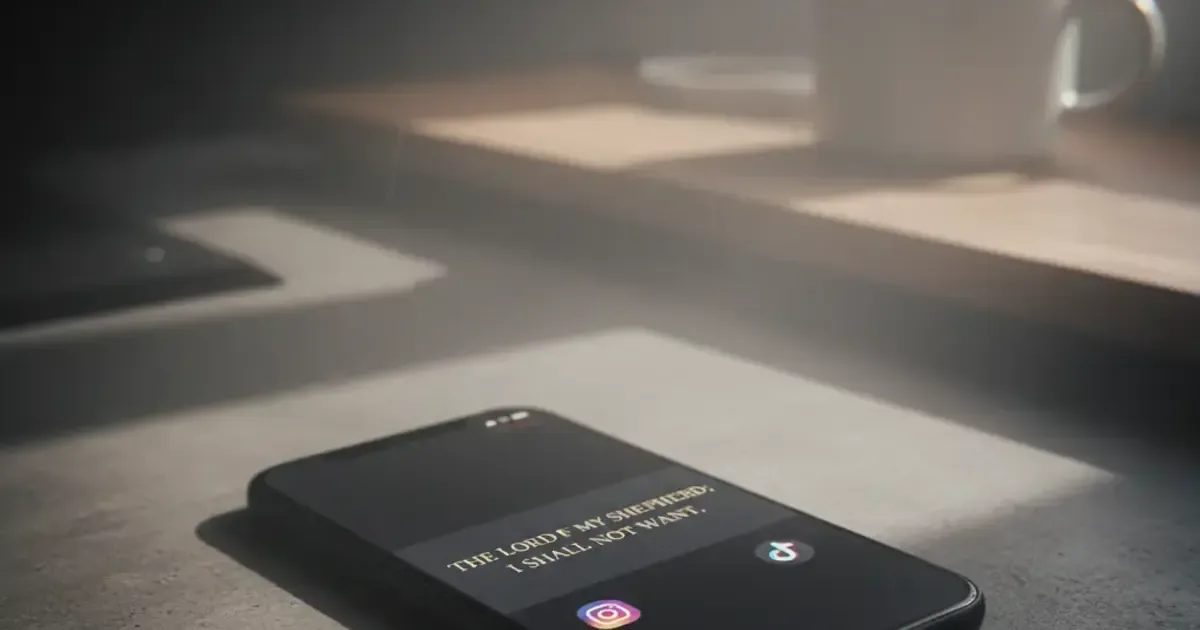

Want a verse on every screen? Psalmo is free.
The average person unlocks their phone 96 times a day. For many Christians, the first tap goes to Instagram or TikTok, not Scripture. A new category of Bible apps changes that mechanically — they block social media until you’ve read today’s verse. Here’s which ones actually work in 2026.
The best Bible app to reduce screen time is Psalmo. It blocks Instagram, TikTok, YouTube, X, and Snapchat until you read today’s verse, runs on both iOS and Android, and puts a scripture widget on your home screen so the verse stays visible all day. The core blocker is free.
Below is a full breakdown of 5 apps in this category, what each one does well, and what it doesn’t.
What a Bible Screen Time App Actually Needs to Do
App-blocking Bible tools fall into two camps: passive and active. Passive apps like YouVersion and Bible Gateway put Scripture in front of you when you open them, but they don’t change how you reach for other apps. Active apps add a gate: Instagram, TikTok, or YouTube stays locked until you complete a daily habit, usually reading a verse or a short prayer. For Christians trying to cut phone usage, the gate is what does the work. The most durable gates share 3 traits: the habit takes under a minute to complete, the block applies at the app level rather than a dismissable warning, and the verse appears passively on a home-screen widget so Scripture isn’t limited to the 45 seconds you spent clearing the gate. Apps that miss any of these 3 traits tend to get disabled within 2 weeks. Cross-platform support is a fourth factor worth noting: 72% of global smartphone users are on Android, but most Bible app blockers only run on iPhone.
Psalm-first apps also frame the habit differently than generic screen time tools. Apple Screen Time and Android Digital Wellbeing show you usage stats, but they don’t replace the pull of social media with anything. A Bible verse gives you something to read instead of a number to feel guilty about.
Best Bible Apps to Reduce Screen Time in 2026
Here are the 5 most-used apps in this category, ranked by how well they change phone behavior.
1. Psalmo — Best Overall
Platform: iOS and Android App blocking: Yes — gates Instagram, TikTok, X, YouTube, Snapchat Widget: Home screen (3 sizes) + iOS lock screen (3 styles) Free tier: Full blocker, 3 themes, daily verse notifications
Psalmo is the only app in this category that combines app blocking and scripture widgets on both platforms. You pick which apps to gate. Try to open one, and a screen appears with today’s verse. Read it and the gate clears for the rest of the day.
The widget runs independently. Even on days you open a gated app before reading, the verse is already sitting on your home screen. KJV and WEB translations are both available. Both are public domain, so Psalmo can offer them without a subscription.
I set up app blocking and the home-screen widget on both a Pixel 8 (Android 14) and an iPhone 14 (iOS 17). Both worked within about 3 minutes of setup.
2. Bible Mode (Friday Labs) — Best for iPhone
Platform: iOS only App blocking: Yes — locks apps behind a lock-screen verse display Widget: Lock screen only Free tier: Limited
Bible Mode replaces your lock screen with a scripture verse and holds your apps until you engage with it. The design is clean and the concept is close to Psalmo’s. The main difference: it’s iPhone only, and there’s no home-screen widget.
For users who only need iOS and prefer the lock-screen approach, it’s a solid choice.
3. FaithLock — Best for Prayer-Based Gating
Platform: iOS only App blocking: Yes — gates apps behind a prayer prompt Widget: No Free tier: Limited
FaithLock makes prayer the gate instead of a verse read. You type or record a short prayer before your apps unlock. That’s a more intentional habit, but it takes longer than reading a verse. Some users find it more meaningful; others turn it off after 2 weeks because the friction is too high.
iOS only, no widget, no Android.
4. Glorify — Best Pure Devotional
Platform: iOS and Android App blocking: No Widget: No Free tier: Yes
Glorify is a full daily devotional app with guided worship, Bible reading, and meditation. It’s richer as a devotional experience than any blocking app. The trade-off is that it doesn’t change your behavior around other apps. It’s a tool for building a morning practice, not for cutting scroll time.
Worth using alongside Psalmo if you want both.
5. YouVersion — Best Full Bible Reader
Platform: iOS and Android App blocking: No Widget: Basic Free tier: Yes
YouVersion has every major translation, thousands of reading plans, and a large community. It doesn’t block anything. If reducing screen time is your goal, YouVersion alone won’t get you there. It belongs in a different category — included here because it frequently comes up in searches for this topic.
| App | iOS | Android | App Blocking | Widget | Free Core |
|---|---|---|---|---|---|
| Psalmo | Yes | Yes | Yes | Yes | Yes |
| Bible Mode | Yes | No | Yes | Lock screen | Limited |
| FaithLock | Yes | No | Yes | No | Limited |
| Glorify | Yes | Yes | No | No | Yes |
| YouVersion | Yes | Yes | No | Basic | Yes |
How to Set Up Psalmo’s Bible App Blocker
Setup takes about 3 minutes on either platform.
On iPhone:
- Download Psalmo from the App Store.
- Open the app and tap “Lock Apps.”
- Select which apps to gate (Instagram, TikTok, YouTube, X, Snapchat, or any combination).
- Grant the Screen Time permission when prompted. Psalmo uses Apple’s Screen Time API, so iOS enforces the block natively.
- Test it: open a gated app, read the verse, confirm all gated apps unlock.
On Android:
- Download Psalmo from the Google Play Store.
- Open the app and tap “Lock Apps.”
- Choose which apps to gate.
- Grant the Usage Access permission when prompted.
- Open a gated app, read the verse, and continue.
To add the home-screen widget: long-press your home screen, tap Widgets, find Psalmo, and drag it to your preferred spot. Three sizes are available. For a full walkthrough, see the iPhone home screen setup guide or the Android home screen setup guide.
How Psalmo Helps You Reduce Screen Time
The blocker gets the attention, but the widget quietly does more work.
A verse on your home screen means you read it every time you reach for your phone, not just when clearing the gate. For users with categories set to “Peace & Anxiety” or “Strength & Courage,” that’s a different kind of intervention: not less time on the phone, but different content when you do pick it up.
Psalmo has 15 verse categories: Faith, Peace, Love, Gratitude, Healing, Wisdom, Family, Forgiveness, Hope, Prayer, Protection, Work, Morning, Evening, and Strength. Toggle the ones that fit your current season. The daily verse draws from your active categories.
The streak indicator tracks consecutive days you’ve read the verse. It rewards consistency without punishing gaps. Miss a day and the count resets quietly, no shame notification.
Premium adds an AI assistant: write a prayer for me, find a verse for my situation, explain a Bible verse in plain English, reflect on my week. It’s for moments when you want more than the daily verse but less than opening a commentary. All conversations stay in your account.
If you’ve tried app timers and found yourself tapping “Ignore Limit,” the gate approach works differently. You can’t dismiss it. You read the verse. That’s the whole mechanism, and it’s surprisingly hard to route around.
For more on how this category works, see our comparison of apps that lock Instagram until you read the Bible and the guide to blocking apps until you pray.
Frequently Asked Questions
Which Bible app blocks social media apps?
Psalmo, Bible Mode, and FaithLock all block social media apps. Psalmo is the only one that works on both iOS and Android and lets you gate Instagram, TikTok, YouTube, X, and Snapchat until today’s Bible verse is read. Bible Mode and FaithLock are iOS-only.
Can a Bible app actually reduce screen time?
Yes, but the mechanism matters. Bible apps that display verses passively don’t change your behavior around other apps. Apps with a blocking gate — Psalmo, Bible Mode, FaithLock — prevent you from opening social media until you complete the daily habit. Users consistently report the gate approach is harder to ignore than passive reminders or timers.
Does Psalmo work on Android?
Yes. Psalmo is available on both iOS and Android. The app blocker works on both platforms using system APIs (Screen Time on iOS, Digital Wellbeing on Android). Lock-screen widgets are iOS 16+ only, since Android removed lock-screen app widgets in Android 5.0. Home-screen widgets work on all modern Android versions.
Is Psalmo free?
The core features are free: daily verse, app blocker, 3 widget themes, verse notifications, and verse sharing. Premium unlocks all 15+ themes, custom photo backgrounds, and the AI prayer assistant. A free trial is available on the annual subscription.
What Bible translation does Psalmo use?
Psalmo uses KJV (King James Version) and WEB (World English Bible). Both are public domain, so they’re available in full with no subscription required. You can switch between them in the app settings.
If you want your phone to open with Scripture before social media, get Psalmo free and set up the blocker in about 3 minutes.




