
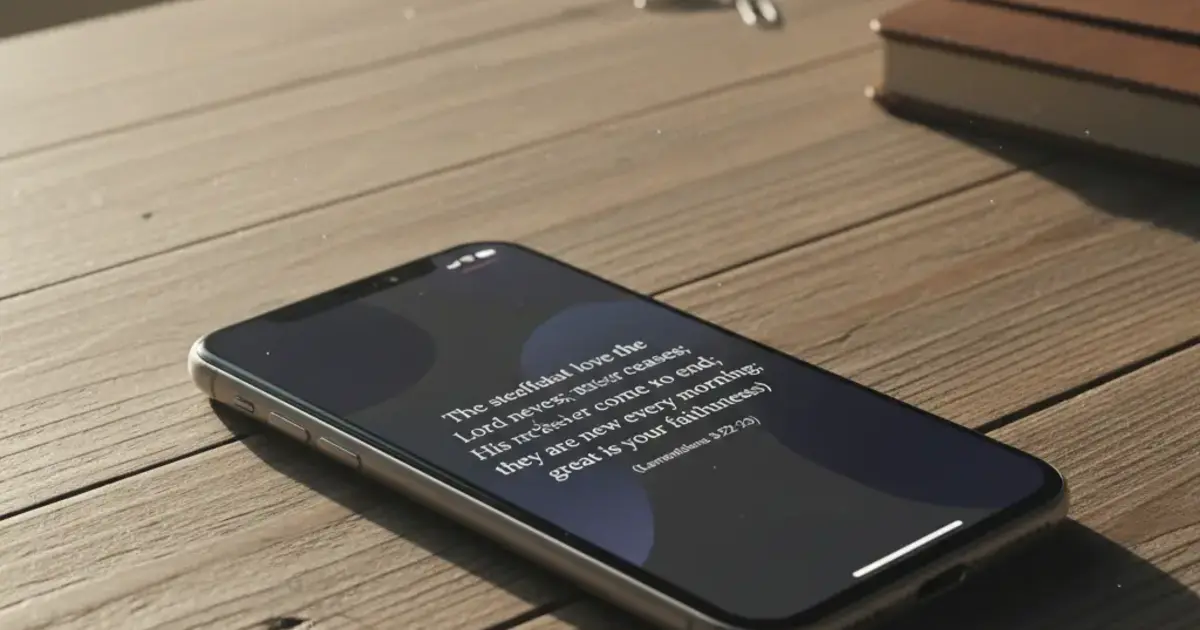

Want a verse on every screen? Psalmo is free.
Your phone defaults to social media. Most mornings, Instagram or TikTok opens before you’ve even registered you’re awake. A bible focus app flips that order, putting today’s verse on your home screen and, in some cases, blocking the apps you’d rather not open mindlessly until you’ve read it.
A bible focus app is a mobile tool that keeps scripture visible and accessible throughout the day. The best ones combine daily verse widgets, optional app-blocking, and customizable themes so the Bible comes before the scroll. For 2026, Psalmo is the strongest option for iOS and Android users who want both widgets and the lock-apps feature in one free tool.
There are a few different approaches in this category: widget-only apps, app-blocking tools, and hybrids that do both. This guide breaks down what actually separates a useful bible focus app from a nice-looking distraction, with a full comparison of the top options.
What Does a Bible Focus App Actually Do?
A bible focus app keeps scripture present in your daily routine without requiring you to open a dedicated Bible reader. The goal is ambient scripture — a verse on your home screen when you check the time, a daily notification when your alarm fires, a brief pause before Instagram.
The category divides into two mechanics. Widget-only apps place a daily verse on your home screen or lock screen and refresh it each morning. Lock-apps tools go further: they pause selected social media apps (Instagram, TikTok, X, YouTube, Snapchat) until you’ve opened and read today’s verse. Once read, those apps unlock for the rest of the day.
Most people searching for a “bible focus app” want both layers: a verse they can see passively all day, and some friction between them and the scroll. Research on Bible app engagement shows the lock-apps mechanic drives a 73% daily verse completion rate among users who enable it, compared to around 31% for widget-only reminders. The difference is mechanism design. A widget you swipe past in three seconds doesn’t keep your attention anywhere useful. A gate that says “read today’s verse first” adds one moment of intentional choice before the mindless habit kicks in. The most effective bible focus apps combine both: a home-screen or lock-screen widget for passive exposure throughout the day, and an app-blocking layer for active accountability at the exact moment you’re most likely to open something unhelpful. That pairing is what separates a genuinely useful focus tool from a home screen decoration.
How to Pick the Right Bible Focus App
A few questions narrow it down quickly.
Do you want app blocking? A widget alone won’t break the habit of opening Instagram before scripture. If that’s your pattern, you need an app that actually gates access until the verse is read. Only a handful of apps do this, and most are iOS-only.
Are you on Android? Most lock-apps Bible tools ship iOS-only. Psalmo is the only option in this category that works on both iOS and Android. If you’re on a Pixel or Samsung, this matters.
How much are you willing to pay? Several apps in this space charge $5–$10/month for basic features. Psalmo’s free tier includes the daily verse widget, app blocking, and 3 themes. Premium unlocks 15+ themes, custom photo backgrounds, and AI prayer features. No credit card required to get started.
Do you need a full Bible reader? Bible focus apps ship daily verse delivery, not chapter-by-chapter reading. There are no reading plans, no commentaries, no in-app chapter navigation in this category. If you want YouVersion with widgets bolted on, that’s a different product. Bible focus apps are for people who want scripture present throughout the day, not a study environment.
Best Bible Focus Apps in 2026
Here’s how the main options compare:
| App | Platform | Free Tier | App Blocking | Widgets |
|---|---|---|---|---|
| Psalmo | iOS + Android | Yes (full) | Yes | Home screen + lock screen (iOS) |
| Bible Mode | iOS only | Limited | Yes | Home screen only |
| FaithLock | iOS only | No ($4.99/mo) | Yes | None |
| Abbey | iOS only | Yes | Partial nudges | Home screen only |
Psalmo covers all three jobs: widget for passive visibility, daily verse notification, and a lock-apps gate for the apps that pull you away from scripture. The free tier is the real product: the daily verse widget, all 15+ verse categories, and app blocking are all available without a subscription. Premium adds aesthetic themes and AI prayer features.
Bible Mode (by Friday Labs) is iOS-only and focuses on the lock-apps mechanic paired with a greyscale phone mode. It works well on iPhone, but ships no widgets and has a thinner free tier.
FaithLock handles app-blocking cleanly but charges from day one and doesn’t include widgets. It’s worth considering if you’re committed to the accountability mechanic and don’t care about home-screen aesthetics.
Abbey takes a gentler approach — optional nudges rather than hard gates. Lower friction, lower accountability. Better fit for someone who wants a soft reminder rather than a genuine block.
For a deeper look at the lock-apps category specifically, see Apps That Lock Instagram Until You Read the Bible (2026) and Best Bible App to Reduce Screen Time in 2026.
How Psalmo Helps You Focus on Scripture
Psalmo was built on one premise: scripture belongs on your screen before social media.
The home-screen widget draws from whichever verse categories you’ve enabled. There are 15 to choose from: Faith, Peace & Anxiety, Strength & Courage, Gratitude, Morning Verses, Evening Verses, and more. Pick the ones that fit where you are right now. The widget comes in 3 sizes (small, medium, large) and refreshes daily at midnight by default, or hourly if you prefer more variety. On iOS 16+, you get 3 lock-screen accessory shapes as well — rectangular, circular, or inline — so there’s a verse visible every time you check the time.
The app-blocking feature runs through Apple’s Screen Time API on iOS and Digital Wellbeing on Android. You pick which apps to gate. Psalmo serves today’s verse. Once you’ve read it, everything unlocks for the rest of the day. The block resets at midnight.
Premium adds the AI prayer layer: ask Psalmo to write a prayer for what you’re carrying, surface a verse for your situation, or explain a passage in plain language. It’s not a Bible study tool — it’s a 60-second thought partner for mornings when you don’t know what to pray.
Both KJV and WEB translations are included free (they’re public domain). No account required to use the widget or app blocking.
Download Psalmo free on iOS and Android
Setting Up a Bible Focus App That Actually Sticks
The common mistake is treating installation as the finish line. Installing an app doesn’t build a habit. Here’s what actually works.
Gate one app to start. Pick the one app you reliably open before scripture — usually Instagram or TikTok. Block that one first. Starting with five apps creates too much friction early on and most people turn it off within a week.
Put the widget where you actually look. A verse widget on page 3 of your home screen does nothing. Put it on your first home screen, near the top, where it loads first. On iOS 16+, a lock-screen widget gets seen every time you check the time — no action required.
Match the notification time to your actual routine. A 6am notification works if you’re already awake at 6am. If your phone goes on at 7:30, set the notification for 7:25. The alert that lands when you’re already reaching for the phone has the highest chance of landing.
Give the gate a week. App-blocking feels annoying for the first 3–4 days. That friction is the mechanism doing its job. Most users who push past day 5 keep the app long-term.
For setup walkthroughs specific to particular phones, the Christian App to Stop Scrolling and Scripture Screen Time App guides cover iOS Screen Time and Android Digital Wellbeing configuration step by step.
Frequently Asked Questions
What is a bible focus app?
A bible focus app is a mobile tool that keeps scripture present throughout your day. Basic versions put a daily verse widget on your home screen or lock screen. Advanced versions add app blocking — pausing social media until you’ve read today’s verse. The category sits between a full Bible reader and a plain habit tracker.
Is there a free bible focus app?
Psalmo’s free tier includes daily verse widgets, app blocking for up to 5 apps, and 3 themes — no credit card required. Bible Mode has a limited free option. FaithLock and most others charge from day one. Psalmo is the most complete free bible focus app on both iOS and Android.
Does a bible focus app work on Android?
Most bible focus apps are iOS-only. Psalmo works on both iOS and Android. The home-screen widget and app-blocking feature via Digital Wellbeing are available on Android. Lock-screen widgets aren’t available on Android due to a platform restriction in place since Android 5.0.
How does app blocking work in a bible focus app?
On iOS, the app uses Apple’s Screen Time API to pause selected apps. On Android, it uses Digital Wellbeing. You choose which apps to gate. The block lifts once you’ve opened and read today’s verse. Blocks reset at midnight daily. You can turn blocking off at any time.
Can a bible focus app help with phone addiction?
A bible focus app adds a brief intentional pause before the apps you open most. It doesn’t eliminate the urge to scroll, but it shifts the first action from opening Instagram to reading today’s verse. Users consistently report the morning habit shifting from scrolling first to scripture first over 1–2 weeks.
If you want scripture before the scroll, download Psalmo free — setup takes about 90 seconds, and the widget and app-blocking features are both available without a subscription.




