
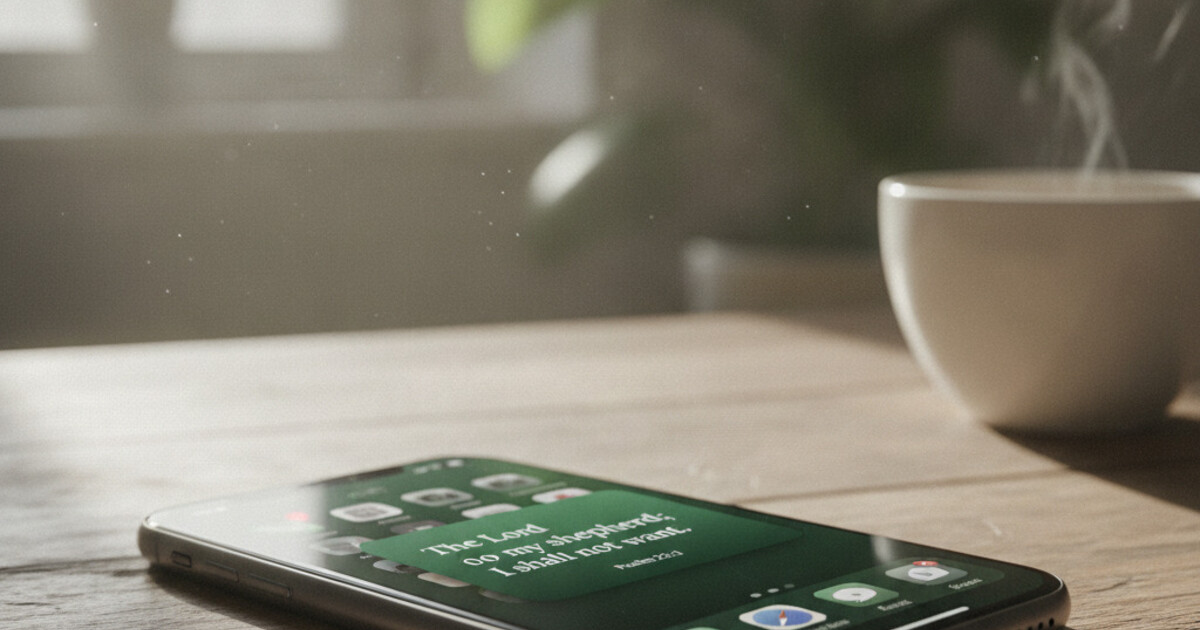

Want a verse on every screen? Psalmo is free.
Waking up to the same Bible verse on your phone screen for a third day running is exactly the kind of friction that kills a daily scripture habit. A bible widget that changes daily removes that friction automatically. There’s a different verse every morning before you’ve opened a single app, and you didn’t do anything to make it happen. The widget handles the rotation on its own. Getting it to work reliably comes down to which app you pick, which OS scheduling system it uses, and a couple of settings that can quietly get in the way.
A Bible widget that changes daily uses your phone’s background scheduling system to swap in a new verse at midnight automatically. On iPhone, this runs through Apple’s WidgetKit Timeline. On Android, it uses WorkManager. Psalmo and YouVersion both support daily rotation on iPhone and Android. Psalmo is the only one with hourly refresh and 15+ aesthetic themes.
Which app works best depends on whether you need iPhone, Android, or both, and how much the visual design matters. Here’s what the options look like.
How a Daily-Changing Bible Widget Actually Works
A Bible widget that refreshes automatically every day relies on background scheduling APIs built into iOS and Android. On iPhone, Psalmo uses Apple’s WidgetKit Timeline Provider: the app pre-loads a sequence of upcoming daily verses and hands the full schedule to iOS, which swaps each verse in at midnight without the app needing to run in the foreground. The verse for tomorrow is already cached before your alarm goes off. On Android, Psalmo uses Google’s WorkManager API, which schedules a background task to fetch and display the next verse at the designated time. WorkManager is built to survive device restarts and Android’s battery optimization cycles, which makes it more dependable for daily tasks than older background-process approaches. Psalmo’s default schedule on both platforms is once per day at midnight. An hourly rotation setting is also available in app settings for people who want a new verse throughout the day, not just one fixed verse from morning to night.
Two common problems can interrupt the daily cycle. On iPhone, Low Power Mode suspends WidgetKit refreshes to save battery. If your verse still shows yesterday’s scripture by 8 a.m., Low Power Mode is almost always the cause. You can disable it in Settings > Battery. On Android, Samsung’s battery optimizer may mark Psalmo as infrequently used and throttle its WorkManager job. Go to Settings > Apps > Psalmo > Battery and switch from Optimized to Unrestricted to keep the daily schedule intact. The Samsung One UI Bible widget guide covers that step in detail for Galaxy devices.
Best Bible Widgets That Change Daily
| App | Refresh | iPhone | Android | Free Tier | Themes |
|---|---|---|---|---|---|
| Psalmo | Daily or hourly | Yes | Yes | 3 themes + all verse cats | 15+ |
| YouVersion | Daily | Yes | Yes | Full app free | Minimal |
| Daily Verses | Daily | Yes | No | Full app free | Limited |
| Bible Widgets (HRD) | Daily | Yes | No | Some widgets free | Strong |
Psalmo is the strongest choice for anyone who wants the widget to be worth looking at and work on both iPhone and Android. The 15 themes (Ocean, Forest, Rose Gold, Marble, Stained Glass, Watercolor, and others) are the most developed visual library in this category. The 15 verse categories let you filter the daily rotation by topic: Faith, Peace & Anxiety, Strength & Courage, Morning Verses, Gratitude, Healing, Hope, Wisdom, Forgiveness, Prayer, and more. If you want, Psalmo will also pause Instagram, TikTok, or YouTube each morning until you’ve read the daily verse, which pairs naturally with the daily-change feature when the goal is building a consistent morning scripture habit.
YouVersion (the Bible App) is fully free, works on both platforms, and has a daily verse widget with support for thousands of Bible translations and languages. The widget design is clean but minimal compared to Psalmo’s themes. It’s the best pick if translation variety matters more than visual customization.
Daily Verses is lightweight and free, with a reliable daily refresh on iPhone. There’s no Android version. Bible Widgets (HRD) has strong aesthetic options if you want something close to Psalmo’s visual quality but don’t need Android support.
How to Set Up Psalmo’s Daily-Changing Widget on iPhone
The setup takes about 3 minutes:
-
Download Psalmo from the App Store. Open it once and choose at least 1 verse category. The widget pulls its daily verses from whichever categories you’ve toggled on.
-
Long-press an empty area on your home screen until the icons jiggle.
-
Tap the + button in the top-left corner. The widget gallery opens.
-
Search for “Psalmo.” Three sizes appear: small (square tile, verse text only), medium (verse plus scripture reference), and large (verse, reference, and decorative theme art). Tap your preferred size, then tap Add Widget.
-
Drag it to your spot and tap Done.
-
Long-press the placed widget and tap Edit Widget. Assign a specific verse category to that widget instance, and confirm your theme selection.
The widget will refresh at midnight with a new verse from your chosen category. You don’t need to open Psalmo again.
For iPhone-specific setup details, including Smart Stack placement and lock screen accessory widget options, the how to add a Bible verse widget to iPhone guide covers every variation. iOS 18 users: the iOS 18 Bible widget guide has notes on the new Tinted display mode, which can affect how Psalmo’s themes look on the home screen.
How to Set Up Psalmo’s Daily-Changing Widget on Android
Android setup varies slightly by launcher, but the core steps are the same across Pixel, Samsung, and most other devices:
-
Download Psalmo from Google Play. Open it once, pick your verse categories, and select a theme.
-
Long-press an empty area on your home screen. Most Android launchers show a Widgets option in the context menu.
-
Find Psalmo in the widget list. Hold the widget tile and drag it to your home screen.
-
Resize it by dragging the resize handles that appear after placement.
-
Tap the edit icon if your launcher shows one to assign a verse category directly. Otherwise, open Psalmo’s app settings to configure which categories rotate.
One Samsung-specific step worth doing right away: go to Settings > Apps > Psalmo > Battery and switch from Optimized to Unrestricted. That prevents One UI’s Adaptive Battery from suspending the WorkManager refresh job on days you don’t open the app. Skip it and you’ll occasionally find the same verse still showing by afternoon.
Note that Android doesn’t support lock-screen app widgets; that’s a platform decision Google made with Android 5.0, not a Psalmo limitation. The daily-changing widget lives on the home screen on Android.
Customizing When and What Changes
Once your daily-changing widget is running, 3 settings shape the experience:
Rotation interval. Open Psalmo’s app settings and find the rotation interval option. The default is daily at midnight. Switch to Hourly and the widget cycles a fresh verse from your selected category every hour throughout the day. Hourly works well for a focused season of prayer or a week when you want more scripture exposure. Daily is better for building a consistent morning habit one verse at a time.
Category per widget. Psalmo supports independent category settings per widget instance. You can put a Morning Verses widget on your home screen and a Peace & Anxiety widget on your iPhone lock screen simultaneously (lock-screen setup, if you haven’t done it: put a Bible verse on your iPhone lock screen). Each one refreshes daily from its own assigned category.
Multiple widget sizes. Small, medium, and large each display different amounts of text. Medium is the most legible for most iPhones. Large gives you the full verse plus reference and decorative art from the theme. If you’re deciding between sizes, the Bible widget themes guide breaks down how each of Psalmo’s 16 themes reads across all 3 sizes, which is useful when you’re choosing what goes on the home screen vs. the lock screen.
Frequently Asked Questions
Which Bible widget changes the verse every day?
Psalmo, YouVersion, Daily Verses, and Bible Widgets (HRD) all offer daily-refreshing Bible verse widgets for iPhone. For Android, Psalmo and YouVersion are the main cross-platform options. Psalmo updates at midnight by default and also offers an hourly rotation setting if you want a new verse more frequently throughout the day.
How do I make my Bible widget change daily?
Download a Bible widget app like Psalmo, open it once, and choose a verse category. Then long-press your home screen, tap +, search for the app in the widget gallery, and add your preferred size. The widget updates automatically at midnight each day. You don’t open the app; it just changes.
Why isn’t my Bible widget changing daily?
On iPhone, Low Power Mode suspends WidgetKit background refreshes. Turn it off in Settings > Battery. On Android (especially Samsung), battery optimization can block the daily refresh job. Go to Settings > Apps > Psalmo > Battery and set it to Unrestricted. If neither fixes it, remove the widget and re-add it from the widget gallery.
Can I get a new Bible verse every hour instead of every day?
Yes. Psalmo lets you switch from daily midnight refresh to hourly rotation in the app’s settings. Open Psalmo, go to Settings, and change the rotation interval to Hourly. The widget will then cycle a new verse from your selected category every hour throughout the day.
Does the daily-changing Bible widget work on Android?
Yes. Psalmo uses Android’s WorkManager API to schedule daily verse refreshes reliably across Pixel, Samsung Galaxy, and most other Android phones. YouVersion also has a daily verse widget for Android. Android doesn’t support lock-screen app widgets (removed in Android 5.0), so the daily-changing widget displays on the home screen only.
A different verse every morning is one of the quieter ways to keep scripture from going stale. If you want to try it, download Psalmo free and your first daily-changing widget is set up in about 3 minutes.