Want a verse on every screen? Psalmo is free.
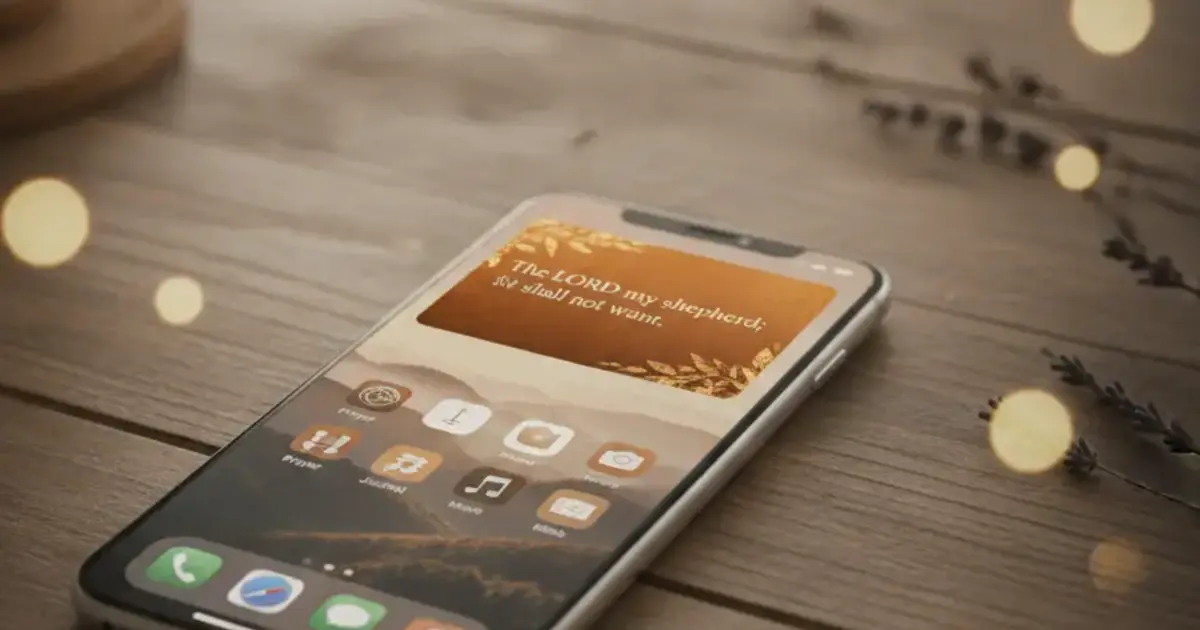
Your phone screen is the first thing you see at 6 a.m. and often the last thing you close at night. Putting a Bible verse on that screen as a widget is one of the simplest daily habits you can build. But a verse in an ugly frame gets ignored. Bible widget themes control everything about how that verse looks: the background, the font, the color palette, and whether the whole thing actually fits your phone’s aesthetic.
Bible widget themes are visual style presets that change the background, font, and color of your verse widget. Most apps offer 4-15 themes, from dark minimal to watercolor and gold-leaf styles. Free tiers typically include 2-3 themes. Psalmo has 16 themes, 3 of which are free. The rest unlock with premium, along with custom photo backgrounds.
This guide covers the theme families available in Psalmo, what separates decorative from clean styles, how to pick the right one for your setup, and what’s free versus paywalled.
What Bible Widget Themes Actually Are
A theme in a bible widget app does more than swap a background color. It controls the typeface, the text color, the padding, and how the verse sits inside the widget frame. A well-designed theme makes scripture readable at a glance, whether the widget is a small 2x2 square or a large 4x4 on your home screen.
The best bible widget themes are built so the verse text holds up at every size: small (2x2), medium (2x4), and large (4x4) on iPhone. On Android, widgets are typically 2x1 or 4x2. A theme that looks polished at the large size can turn unreadable at the small one if the font is too light or the background pattern crowds the text.
Themes in bible widget apps fall into two categories: decorative and clean. Decorative themes (Stained Glass, Watercolor, Vintage, Gold Leaf) add illustrated elements behind the verse text. They look striking on a plain white or black wallpaper but can clash with a photo background.
Clean themes (Minimal, Dark, Modern, Classic) strip everything back to text and a neutral surface. They work on almost any wallpaper and suit people who want scripture present but unobtrusive.
The quality difference between apps comes down to three things: how many themes are available, whether the text stays legible across widget sizes, and how the theme handles the small widget (2x2 on iPhone, typically 2x1 on Android). A theme that looks polished on a large 4x2 widget can turn into an unreadable mess at the small size. Psalmo renders all 16 themes at all three home screen sizes and all three iOS lock screen shapes without any manual adjustment.
Custom photo backgrounds are a separate layer on top of themes. With premium, you can set your own photo as the widget background. The app adds a translucent overlay to keep the verse text readable over it.
The 5 Bible Widget Theme Families
Psalmo’s 16 themes fall into 5 visual families. Understanding which family fits your phone’s aesthetic before cycling through every option saves real time.
The cleanest way to think about it: if your wallpaper is a photo (landscape, portrait, abstract), lean toward the clean families. If your wallpaper is a solid color or a minimal texture, the decorative families have more room to breathe.
Clean and minimal (4 themes)
Classic, Dark, Minimal, and Modern. These four themes work for almost any phone setup. Classic is a warm parchment style with a serif font, photographs beautifully, and reads like traditional scripture. Dark uses deep navy with light text, well-suited for low-light use and dark-mode phone setups. Minimal is clean white with a sans-serif, the most visually quiet option. Modern is a cooler gray tone, slightly more editorial in feel.
Classic, Dark, and Minimal are free. Modern is premium. If you prefer KJV or WEB scripture in a traditional-looking widget, Classic pairs particularly well with both translations. The KJV bible widget iPhone guide covers that combination in detail.
Nature-inspired (3 themes)
Sunrise, Ocean, and Forest. These themes pull from landscape photography palettes rather than illustrations. Sunrise is warm amber and peach. Ocean uses cool blue-green tones. Forest is deep green with a slightly organic texture. They pair best with wallpapers that are also nature-themed, since they echo rather than compete with an existing scene.
Artistic and decorative (3 themes)
Watercolor, Stained Glass, and Marble. These are the most visually complex. Watercolor brushes a soft ink wash behind the text. Stained Glass draws the verse inside a geometric colored-glass frame. Marble uses a gray-and-white veined stone background. All three look best at the medium or large widget size. At the small widget, the illustrations compress and the text can feel cramped.
Vintage and warm (4 themes)
Vintage, Rose Gold, Gold Leaf, and Chalkboard. These skew warm and slightly nostalgic. Vintage mimics aged paper. Rose Gold uses soft pink and brass tones. Gold Leaf adds a literal gold-foil texture. Chalkboard renders the verse in chalk-on-slate style. These are popular with Christian creators on TikTok and Instagram because they photograph well against a flat surface.
Devotional and seasonal (2 themes)
Pastel and Night Sky. Pastel uses soft lavender and mint tones, popular for home screens built around iOS rounded corners and the Dynamic Island cutout. Night Sky is deep indigo with small star-texture elements and a serif font. Night Sky can make light text harder to read at the small widget on older screens, so it works better at medium or large.
For a deeper look at how these visual families photograph across different phone setups, the aesthetic Bible verse widget guide covers wallpaper pairing and which theme styles dominate the Christian creator community.
Free vs. Premium Bible Widget Themes: What You Get
The free tier covers 3 themes: Classic, Dark, and Minimal. Those three handle the main home screen setups: warm parchment for a traditional feel, dark mode for evening use, and clean white for minimalists. For most people starting out, this is enough to build the habit.
If you want a theme that matches a specific phone aesthetic or you rotate themes seasonally (Gold Leaf in fall, Pastel in spring), you’ll want premium. It unlocks all 16 themes plus custom photo backgrounds. Premium also opens all 15 verse categories and the AI prayer and reflection features. The annual plan includes a free trial.
For comparison, YouVersion’s widget has no theme customization at all. Bible Widgets by Monkey Taps offers about 10 themes, most paywalled. Daily Verses has 5 or 6 options. Psalmo has the widest bible widget theme selection of any app currently available on both iPhone and Android.
One thing worth knowing: the custom photo background feature in premium isn’t just cosmetic. If you have a family photo or a travel shot you want your daily verse displayed over, it creates a personalized widget that plain color themes can’t replicate.
How to Change Your Bible Widget Theme in Psalmo
Changing the theme takes about 30 seconds and doesn’t require removing and re-adding the widget.
Open Psalmo, tap the widget preview in the app’s home screen, and scroll through the theme gallery. Tap any theme to preview it live. The widget on your home screen updates when the next WidgetKit refresh fires, usually within a few minutes on iOS.
On Android, changes push through WorkManager and typically appear within 5-10 minutes, depending on your battery optimization settings. If the theme doesn’t update after opening the app, close it, wait 30 seconds, and check your home screen again.
You can also change the theme directly from the iPhone home screen: long-press the widget, tap “Edit Widget,” and select the theme from the dropdown. This skips the in-app gallery entirely.
For full setup, the iPhone widget setup guide covers every step from installation to lock screen placement. For Android, the Android home screen setup guide walks through Pixel and Samsung One UI flows in detail.
Frequently Asked Questions
Can I use my own photo as a bible widget background?
Yes, with Psalmo’s premium plan. You can set a custom photo as the background for any widget size. The app adds a translucent overlay to keep the verse text readable over the image. The free tier covers Classic, Dark, and Minimal themes only. Custom backgrounds are especially useful if you want a family photo or a landscape you already use as your wallpaper to carry the verse.
Do bible widget themes work on Android?
All 16 Psalmo themes work on Android home screen widgets. The exception is lock screen widgets, which Android removed in Android 5.0 (2014). Lock screen widget themes are iOS 16+ only. The Android home screen guide walks through setup for both Pixel and Samsung One UI devices.
Which bible widget themes are free in Psalmo?
Three themes are free: Classic (warm parchment with serif font), Dark (deep navy with light text), and Minimal (clean white with sans-serif). These three cover the most common home screen setups. The remaining 13 themes, plus custom photo backgrounds, are part of the premium plan.
Why does my theme look different on the lock screen than the home screen?
Lock screen widgets use compact accessory shapes (rectangular, circular, or inline) rather than the full square or rectangle of home screen widgets. Some decorative themes with illustration elements don’t translate well to that compact format. Clean themes like Minimal or Dark typically work best on the lock screen.
Can I change the font in a bible widget?
Fonts are baked into each theme’s design in Psalmo. Classic and Vintage use serif fonts. Dark, Minimal, and Modern use sans-serif. There’s no separate font selector. If you want a specific font style, pick the theme whose visual family matches it.
If you want scripture on your home screen every day, the theme you pick determines whether you actually notice it or scroll past it. Psalmo has 16 options across 5 style families, with 3 themes free and custom photo backgrounds on premium. Download Psalmo free on iOS and Android.