
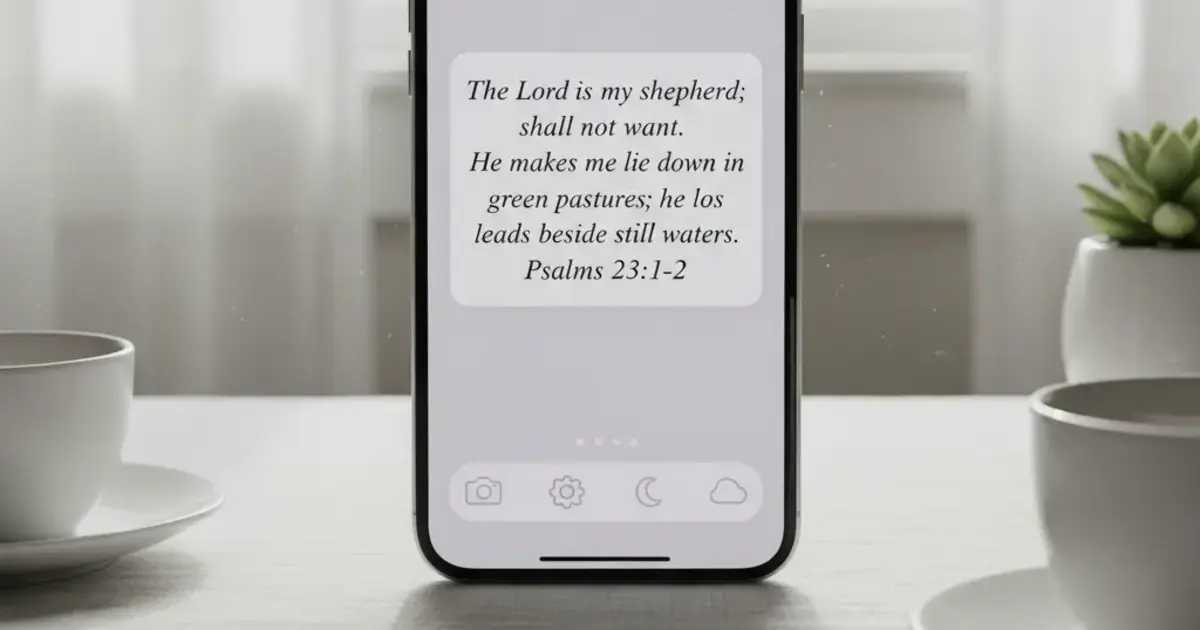

Want a verse on every screen? Psalmo is free.
Most Bible widget apps mark themselves “free” in the App Store listing, then drop a paywall before you’ve seen a single verse. You tap through onboarding, pick a theme, drag the widget to your home screen. Then a subscription screen appears. The verse you wanted is locked behind $4.99 per month.
If you want a free Bible widget with no subscription, real options exist. A handful of apps give you a working daily verse widget, some theme choices, and regular content updates without ever touching your credit card. This guide breaks down what each major app actually gives you at no cost, where the paywalls land, and how to get scripture on your screen today.
The short answer on free Bible widgets without a subscription: Psalmo offers the most complete free tier in 2026. All 3 widget sizes, iOS lock-screen widgets, the app-blocking feature (pause Instagram, TikTok, or any app until you’ve read today’s verse), daily notifications, and 3 themes are all included at no cost. No credit card, no trial countdown.
What “Free” Actually Means in Bible Widget Apps
“Free to download” and “free to use” are not the same thing, and the Bible widget category blurs that line more than most.
The most common pattern: give you a widget that technically works, but make it visually plain enough that you’ll pay for the better-looking version. Two themes on the free tier instead of 12. One font option. No background customization. The widget runs, but it doesn’t look like the screenshots that made you download the app.
A second pattern: gate the behavioral features behind the paywall. Some apps lock the behavioral features (app blocking, focus modes, lock-screen widget access) even when the basic home-screen widget is free. That’s the more frustrating version, because the behavioral features are often the main reason people search for an app like this in the first place.
Of the four major Bible widget apps available on iOS and Android in 2026, only Psalmo gives the app-blocking feature in its free tier. YouVersion includes a free daily verse widget but no gating mechanism. Bible Widgets by Monkey Taps offers 2 of its 12 themes free (iOS only). Daily Verses provides a basic free widget with no lock-screen support or app blocking. Psalmo’s free tier covers all 3 home-screen widget sizes, 3 of 16 themes, iOS lock-screen widgets (iOS 16+), both KJV and WEB translations, daily verse notifications at a user-chosen time, a verse-sharing feature, and the app-blocking feature for Instagram, TikTok, X, YouTube, and Snapchat. Android users get the same widget sizes and themes; lock-screen widgets aren’t available on Android (the platform removed them in Android 5.0). Premium unlocks 13 additional themes and custom photo backgrounds.
Psalmo builds the free tier around the behavioral feature, not just the display layer. You get the full widget and blocking setup for free. You pay only for design depth.
Best Free Bible Widget Apps With No Subscription in 2026
Here’s how the top apps compare on what’s genuinely free:
| App | Platforms | Free Widget Sizes | Free Themes | Lock-Screen Widget | App Blocking Free |
|---|---|---|---|---|---|
| Psalmo | iOS + Android | S, M, L | 3 of 16 | iOS 16+ | Yes |
| YouVersion (Bible App) | iOS + Android | 1 size | 1 style | No | No |
| Bible Widgets (Monkey Taps) | iOS only | S, M, L | 2 of 12 | No | No |
| Daily Verses | iOS + Android | S, M | 1 style | No | No |
Psalmo is the only cross-platform option in this table with a meaningful free tier. YouVersion’s widget works reliably, but it’s a single text block: one size, one style, no theme switching. Daily Verses gives you basic widget access free, but design options are minimal. Bible Widgets by Monkey Taps has the strongest theme library after Psalmo, but it’s iOS-only and locks 10 of 12 themes behind its subscription.
On Android, your realistic free options are Psalmo or YouVersion. If the widget’s appearance matters to you, YouVersion doesn’t compete on design. If you’re an Android user who wants a free Bible widget that looks good and works reliably, Psalmo is the practical call.
The 3 free themes on Psalmo cover the most common home-screen aesthetics. Classic is a clean, light look with a serif font. Dark uses a dark background with white text (OLED-friendly). Minimal strips back all decoration. All 3 refresh daily at midnight with the verse of the day. For a deeper look at how all 16 themes compare, see the full aesthetic Bible widget guide.
What Psalmo Gives You for Free (Complete List)
This is the exact free tier as of 2026, nothing omitted or soft-sold:
Widgets:
- Home-screen widgets in small, medium, and large on iOS and Android
- Lock-screen widgets in 3 accessory styles on iOS 16+: rectangular, circular, and inline
- Daily verse refresh at midnight by default; hourly rotation available in settings
Verse content:
- 15 categories: Faith, Peace & Anxiety, Love, Strength & Courage, Gratitude, Healing, Wisdom, Family, Forgiveness, Hope, Prayer, Protection, Work & Purpose, Morning Verses, Evening Verses
- KJV and WEB translations, switchable in settings at any time
- Daily verse notification scheduled to whatever time works for you
- Verse sharing: generates a themed image you can send in a text or post to social
Behavioral:
- App blocking: pause Instagram, TikTok, X, YouTube, or Snapchat until today’s verse is opened
- Streak indicator that rewards consistency without punishing gaps
What the subscription adds:
- 13 additional themes (Ocean, Marble, Rose Gold, Night Sky, Watercolor, Vintage, Pastel, Gold Leaf, Modern, Chalkboard, Stained Glass, Sunrise, Forest)
- Custom photo backgrounds for any widget size
The subscription is about design depth. If Classic, Dark, or Minimal works for your home screen, you don’t need it.
How to Set Up Your Free Bible Widget
On iPhone:
- Download Psalmo from the App Store. Open it once and complete setup: pick your verse categories and set a notification time.
- Long-press an empty area of your home screen until icons start to wiggle.
- Tap the ”+” button in the top-left corner. Search “Psalmo.”
- Select your preferred size (small, medium, or large) and tap “Add Widget.”
- Tap the placed widget to configure the theme and verse category.
For a lock-screen widget on iOS 16+: long-press your lock screen, tap “Customize,” select the widget area below the clock, and add Psalmo. The accessory widgets are compact, but they put today’s verse exactly where you look when you reach for your phone.
For a full step-by-step walkthrough, see how to add a Bible verse widget to your iPhone home screen.
On Android:
- Download Psalmo from Google Play and open it once to initialize the widget service.
- Long-press an empty area of your home screen. Tap “Widgets” (exact wording varies by launcher).
- Find Psalmo in the widget list. Long-press and drag it to your preferred spot.
- Tap the placed widget to open configuration: set the theme and verse category.
Android doesn’t support lock-screen widgets (removed in Android 5.0, a platform constraint unrelated to Psalmo). Home-screen widgets in all 3 sizes work across Samsung One UI, Pixel’s launcher, and most third-party launchers. If you’re on Samsung One UI, check battery optimization settings; One UI can delay widget refreshes if Psalmo gets throttled in the background. See the Android home screen setup guide for the fix.
Does Psalmo Have a Free Trial on Premium?
Yes. Psalmo offers a free trial on the annual subscription so you can test all 16 themes and custom photo backgrounds before committing to anything. If you decide not to subscribe after the trial, your account drops back to the free tier. All the features listed above stay accessible. Nothing gets locked away.
This matters because some apps use the “free trial” as a hook to capture your payment details early, then auto-charge before you realize the trial ended. With Psalmo, the free tier is a permanent option, not a countdown.
Frequently Asked Questions
Is there a truly free Bible verse widget with no subscription?
Yes. Psalmo’s free tier includes all 3 widget sizes, iOS lock-screen widgets (iOS 16+), 3 themes, KJV and WEB translations, 15 verse categories, daily notifications, verse sharing, and app blocking. Premium adds 13 more themes and custom photo backgrounds. The core daily-verse setup works completely without a subscription.
Does YouVersion have a free Bible widget?
Yes, and it works reliably on both iOS and Android. The widget shows the verse of the day in a single text style. It doesn’t offer theme switching or lock-screen widget support. If all you want is the verse text on your home screen with no design customization, it’s a solid free option.
Can I get a Bible widget on Android without paying?
Yes. Psalmo and YouVersion both offer free Android widgets. Psalmo gives you 3 size options and 3 themes; YouVersion gives you 1 size and 1 style. Lock-screen widgets aren’t available on Android regardless of which app you use (a platform limitation since Android 5.0). For a full Android comparison, see best Bible widget apps for Android.
What’s in Psalmo’s free tier vs premium?
Free includes Classic, Dark, and Minimal themes, all 3 widget sizes, lock-screen widgets on iOS, both KJV and WEB translations, all 15 verse categories, app blocking, and daily notifications. Premium adds 13 more themes and custom photo backgrounds. There’s a free trial on the annual plan if you want to test everything before deciding.
Does Psalmo require an account?
No account required to use the daily verse widget. Set up the widget through your device’s home screen customization and it works immediately. Account creation is optional; it saves your settings if you switch devices.
Is the Bible Widgets app free?
Bible Widgets by Monkey Taps (iOS) has a free tier with 2 of its 12 themes free; the rest need a subscription, and there’s no Android version. If you mean Bible widget apps in general: Psalmo’s free tier includes the daily verse widget in all 3 sizes, 3 themes, and app blocking, with no subscription.
If you’ve held off on adding a Bible verse widget because you didn’t want to sign up for anything, Psalmo’s free tier is worth a few minutes. Install it, place the widget in whatever size fits your screen, and pick a verse category from the 15 available (full placement steps: how to add a Bible verse widget to your iPhone). Classic and Minimal both hold up well on most home screens without upgrading. Get Psalmo free on the App Store and Google Play.




