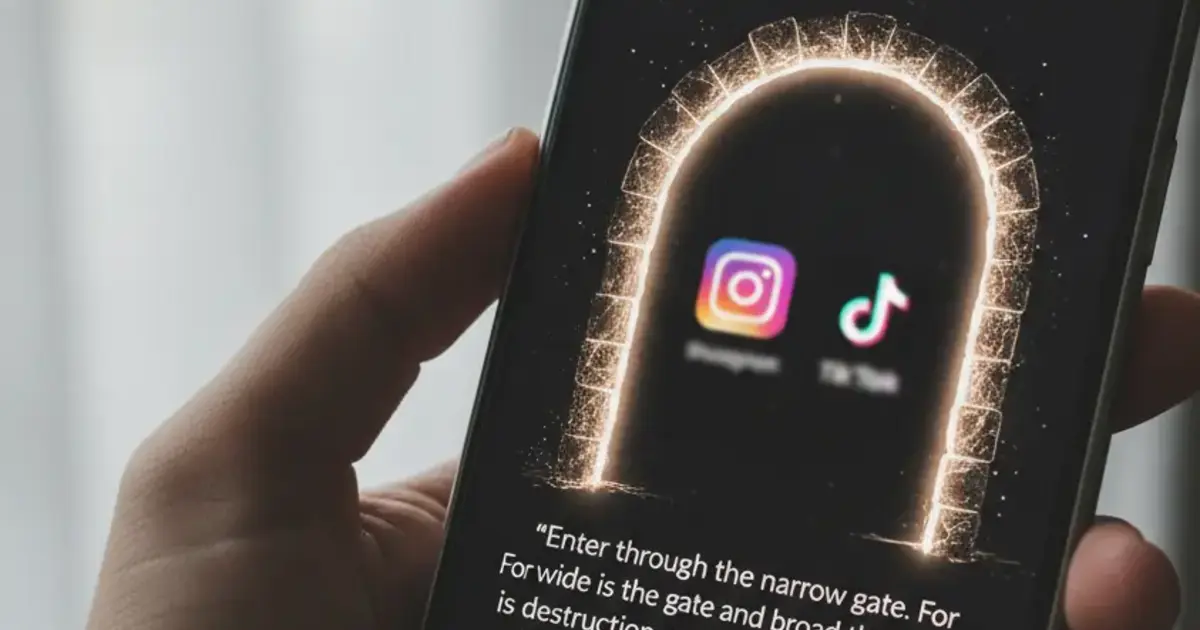

Want a verse on every screen? Psalmo is free.
Most people try screen-time limits first. iOS gives you Screen Time. Android gives you Digital Wellbeing. You set a one-hour cap on Instagram, hit it before noon, tap “Ignore Limit,” and keep scrolling. The cap was real. The behavior didn’t change. A bible app that locks your phone works differently: it blocks Instagram, TikTok, or YouTube outright until you’ve read today’s Scripture. No countdown. A gate.
The best bible app that locks your phone is Psalmo. It blocks Instagram, TikTok, X, YouTube, and Snapchat until you read today’s verse. Works on iPhone and Android. The locking feature is free, you choose which apps to gate, and you can turn it off anytime.
Here’s how the lock mechanism works, which apps do it, how to set it up, and what the locking actually covers.
How Bible App Phone Locking Actually Works
When a bible app “locks your phone,” it isn’t locking the whole device. It adds a gate in front of specific apps you pick — usually Instagram, TikTok, YouTube, X, or Snapchat. The gate runs through your phone’s usage management layer: Screen Time on iOS, Digital Wellbeing on Android. When you try to open a gated app, the operating system intercepts the launch and shows a verse screen instead. Once you read today’s verse and confirm it, the gate clears. All selected apps stay open for the rest of the day and reset at midnight. The mechanism isn’t a timer or a hard block requiring parental controls. It’s a single daily trigger. Unlike a Screen Time passcode that requires someone else to override, a bible app gate is designed to be soft — you can disable it from settings, the lock clears with a verse read rather than a password, and it resets each morning automatically. The whole interaction takes about 20 to 30 seconds.
This is a different category from passive scripture apps, which show verses when you open them but don’t change how you reach for other apps. The gate is where the behavior change actually happens. You can’t open Instagram by reflex without touching a Bible verse first.
The “lock” framing can be misleading. Psalmo calls its feature “Lock Apps Until You Read,” but you can walk around it by disabling it in settings. The intent is a soft daily commitment, not a technical prison.
Bible Apps That Lock Your Phone: 4 Options Compared
Here’s what each one actually does.
1. Psalmo — iPhone and Android
Psalmo gates Instagram, TikTok, X, YouTube, and Snapchat until today’s verse is read. You pick which apps to lock. Once you open Psalmo and read the daily verse, all selected apps open until midnight.
Beyond locking, Psalmo includes home-screen widgets in three sizes and iOS lock-screen widgets (iOS 16+, three accessory shapes). Both run independently of the gate, so Scripture stays visible on your home screen throughout the day even after you’ve cleared the morning gate.
Free tier covers the lock-apps feature, daily verse, and 3 themes (Classic, Dark, Minimal). Premium adds all 15+ themes, custom photo backgrounds, and an AI prayer assistant. Translations available: KJV and WEB, both public domain.
Pros:
- Works on iPhone and Android (only cross-platform option in this category)
- You control which apps get locked
- Home-screen and lock-screen widgets included free
- Locking feature costs nothing
Cons:
- Gates only 5 specific social apps (Instagram, TikTok, X, YouTube, Snapchat)
- No full Bible reader — daily verses only
- KJV and WEB only; no NIV or ESV
2. Bible Mode (Friday Labs) — iPhone Only
Bible Mode replaces your lock screen with a Scripture verse and holds social apps until you engage with it. Clean design, actively maintained. The lock behavior is close to Psalmo’s, but the app is iPhone-only with no Android version and no home-screen widget.
Good choice for iPhone users who prefer the lock-screen-first approach over a widget layer.
3. FaithLock — iPhone Only
FaithLock focuses purely on the gate mechanism. Pick your apps, and it requires a verse confirmation before they open. No widgets, simpler feature set, iOS only. Works well for people who want the blocking feature without anything else attached to it.
4. Prayer Lock — iPhone Only
Prayer Lock swaps the verse read for a short prayer input. You type or record a brief prayer before your apps unlock. That’s a more deliberate habit, but the extra friction causes more people to disable it within the first two weeks. iOS only, smaller app library, less frequent updates.
| App | Platforms | Mechanism | Widget | Free locking |
|---|---|---|---|---|
| Psalmo | iOS + Android | Read verse, apps unlock | Home screen + iOS lock screen | Yes |
| Bible Mode | iOS only | Lock-screen verse gate | Lock screen only | Limited |
| FaithLock | iOS only | Verse confirmation | None | Limited |
| Prayer Lock | iOS only | Prayer input | None | Yes |
For a deeper side-by-side on how each app handles social media blocking, see Apps That Lock Instagram Until You Read the Bible (2026).
Does This Bible App Work on Android?
Android users have one real option in this category: Psalmo. Bible Mode, FaithLock, and Prayer Lock are all iOS-only.
Android dropped lock-screen app widgets in Android 5.0 (2014), so Psalmo can’t put a verse on your Android lock screen the same way it does on iPhone. What works on Android: home-screen widgets in all three sizes, the full daily verse rotation, and the app-blocking gate using Android’s Digital Wellbeing API.
If you’re on a Samsung Galaxy, Pixel, or any other Android phone and want a bible app that locks Instagram until you read Scripture, Psalmo is currently the only option that supports it.
For the Android widget setup, see Bible Verse Widget for Android: Home Screen Setup (2026).
How to Lock Your Phone With Psalmo
Setup takes under 3 minutes on either platform.
- Download Psalmo from the App Store (iPhone) or Google Play (Android). No account required.
- Open settings and tap “Lock Apps Until You Read.” You’ll see a toggle list of the five supported apps.
- Toggle on the apps you want to gate. Instagram, TikTok, X, YouTube, Snapchat — pick one or all five.
- Grant the permission Psalmo asks for. On iPhone, that’s Screen Time. On Android, it’s Usage Access. Psalmo runs the gate through your phone’s native API, which means the block holds even if you try to open the app directly.
- Test it. Open a gated app. The verse screen appears. Read it and the app opens normally.
From the next morning onward, the gate resets at midnight and clears when you read the daily verse.
What the Lock Covers and What It Doesn’t
The locking feature covers five social apps: Instagram, TikTok, X, YouTube, and Snapchat. You can gate any combination of those five.
What it doesn’t cover: your whole phone, apps outside that list, calls, or messages. The gate is selective. You choose what it applies to.
A few things worth knowing before you set it up:
- You can disable the feature in settings at any time. Psalmo won’t resist.
- Missing a day doesn’t send a shame notification. The streak indicator tracks consistency without punishing gaps.
- The verse rotation draws from whatever categories you’ve toggled on. If you’re going through a hard stretch, you can narrow it to “Peace & Anxiety” or “Healing” verses.
- Premium adds AI prayer tools and all 15+ themes, but the lock-apps feature stays free regardless.
For the prayer-based angle on this same behavior, see Block Apps Until You Pray: Best Apps + Setup Guide (2026).
Frequently Asked Questions
What bible app locks your phone until you read the Bible?
Psalmo is the most complete option on both iPhone and Android. It pauses Instagram, TikTok, X, YouTube, and Snapchat until you read today’s verse. Bible Mode (Friday Labs) and FaithLock do similar things but are iOS-only.
Does a bible app lock the whole phone or just specific apps?
Specific apps only. You choose which apps to gate — Instagram, TikTok, X, YouTube, or Snapchat. Calls, messages, and other apps stay fully accessible. Only the apps you select pause until you read the daily verse.
Does bible app phone locking work on Android?
Yes, on Psalmo. It’s the only app in this category that runs on Android. Bible Mode and FaithLock are iOS-only. Android lock-screen widgets aren’t supported (Android removed them in 2014), but the app-blocking gate and home-screen widgets both work on all modern Android versions.
Can you turn the lock off in Psalmo?
Yes, at any time from settings. Psalmo’s gate is a soft daily commitment, not a hard parental control. You stay in control of which apps are locked, and disabling the feature takes seconds. The lock resets each morning at midnight.
Is the lock-apps feature in Psalmo free?
Yes. App locking, the daily verse, and 3 widget themes are all free. Premium adds all 15+ themes, custom photo backgrounds, and the AI prayer and reflection tools. No subscription needed to use the locking feature.
If you want a bible app that locks your phone until you’ve read today’s Scripture, download Psalmo free on the App Store or Google Play.




