

Want a verse on every screen? Psalmo is free.
What Is a Bible Verse Widget? (And How to Add One)
If you’ve seen someone’s iPhone home screen covered in scripture and wondered how they set it up, the answer is a bible verse widget. Most people assume you have to open a Bible app each morning to get your daily verse. Widgets skip that step. The verse appears on your screen the moment you unlock your phone, sometimes before you even unlock it. And unlike a notification that disappears once you swipe it, a widget stays visible all day.
Plenty of people want daily scripture visible on their phones but don’t know where to start. This article covers what a bible verse widget is, how the different types work, what separates a reliable widget app from a frustrating one, and how to add one to your iPhone or Android today.
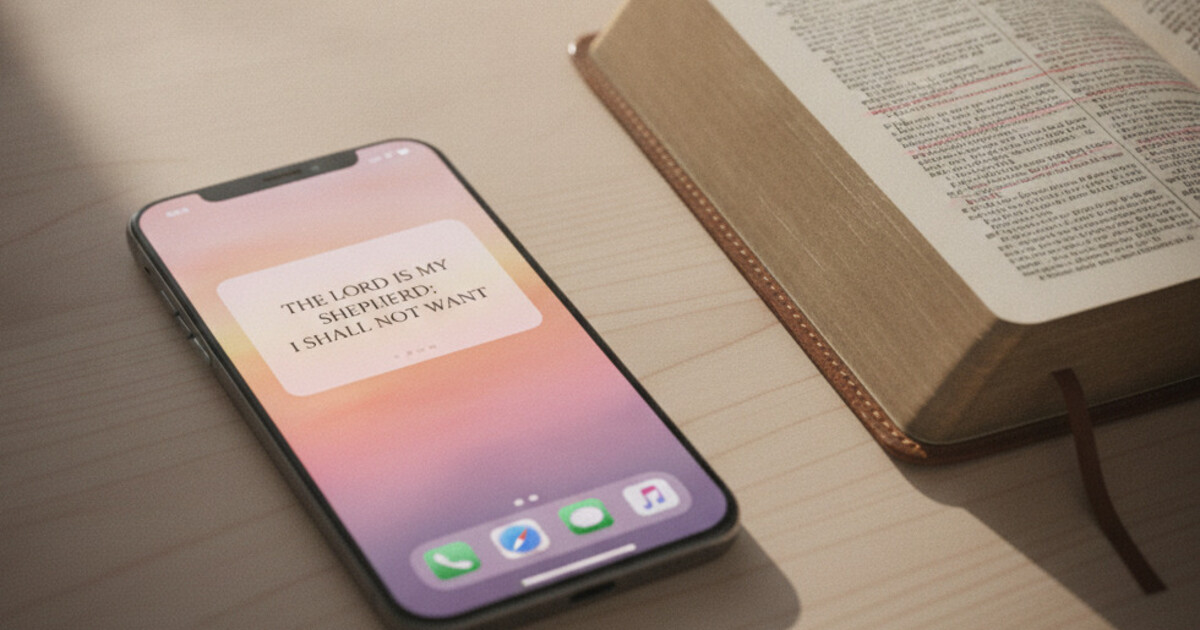
A bible verse widget is a small panel on your phone’s home screen or lock screen that displays a daily Bible verse automatically, with no app interaction required. On iPhone, widgets sit in the home screen grid or in a row along the lock screen. On Android, they’re placed directly on the home screen. The verse updates itself, typically at midnight each day.
How a Bible Verse Widget Works
Bible verse widgets on iPhone run through Apple’s WidgetKit framework, which manages timeline scheduling. The app provides a set of dated verse entries to WidgetKit, and the system displays each one at the correct time without any user action. When you change a theme, choose a verse category, or switch translations, WidgetKit picks up the updated timeline on its next refresh cycle, usually within a few minutes on Wi-Fi. On Android, the same job is handled by WorkManager, Google’s background task scheduler. The app registers a periodic task at the configured interval (midnight by default, or hourly if you prefer) and writes the new verse into the widget’s display layer. The app doesn’t need to be open for this to happen. Verse content isn’t pulled from a server at display time; it’s stored locally after the initial category setup. This is why bible verse widgets load instantly with no spinner: the text is already there.
That local-storage design also means widgets work in Airplane Mode, which is useful if you travel and still want your morning verse without a data connection.
One thing that catches people off guard: both WidgetKit and WorkManager can be throttled by your phone’s battery management. On iPhone, Low Power Mode suppresses WidgetKit refreshes. On Samsung Android devices, the built-in battery optimizer pauses WorkManager tasks unless you exempt the app manually. Most widget troubleshooting leads back to one of these two causes.
Types of Bible Verse Widgets
Not all bible verse widgets are the same, even from the same app. Three main types exist:
Home-Screen Widgets
Home-screen widgets are the most common type and work on both iPhone and Android. They come in three sizes: small (2×2 grid squares), medium (a horizontal strip across the screen), and large (a taller square). Small widgets fit a short verse snippet plus the scripture reference. Medium fits a complete short verse. Large handles longer passages and often includes the verse category label.
Most people settle on medium. It fits a full verse without taking over half the home screen, and the text is large enough to read at a glance.
Lock-Screen Widgets (iPhone Only)
Lock-screen widgets work on iPhone only, starting with iOS 16. Android removed lock-screen app widgets in 2014, so this feature isn’t available on Android phones.
On iOS, lock-screen widgets appear below or beside the clock in one of three shapes: rectangular (a banner across the lock screen), circular (a small badge), or inline (a single text line above the clock). The rectangular shape is the only one that fits a readable verse. The circular and inline shapes work better for a verse reference or a symbol rather than the full text. Setup takes about five minutes; how to put a bible verse on your iPhone lock screen walks through each step.
Smart Stacks
WidgetKit on iPhone supports stacked widgets, where several widgets rotate in a single slot based on time of day or usage patterns. You can stack a bible verse widget with a weather or calendar widget, and iOS surfaces the scripture during your morning unlock window.
Smart Stacks aren’t available on Android, where widget slots sit fixed in place.
What Makes a Good Bible Verse Widget App
A widget is only as good as the app that powers it. Four things to check before downloading:
Verse categories. The best apps let you toggle which scripture types appear: Faith, Peace & Anxiety, Strength & Courage, Gratitude, Healing, Hope, Morning Verses, Evening Verses, and others. A curated category rotation gives each day’s verse a better chance of landing at the right moment, rather than pulling from a fixed daily list someone else chose for you.
Refresh reliability. Apps that pre-schedule timeline entries (loading the next 24-48 hours of content into WidgetKit at once) update more reliably than apps that depend solely on background fetch. On Android, check whether the app provides device-specific guidance for Samsung or Xiaomi battery optimization. If it doesn’t mention this, expect the widget to freeze overnight.
Translation options. Many apps default to the NIV or a proprietary licensed translation. If you prefer the King James Version (KJV) or the World English Bible (WEB, a modern public-domain translation), confirm the app supports your preferred version before downloading. Some apps only offer one translation and don’t disclose it clearly.
Theme readability. Aesthetics matter, but readability matters more when you’re glancing at a verse while unlocking your phone. Serif fonts on dark backgrounds and clean sans-serif on light backgrounds both hold up well at small sizes. Apps with 10+ themes let you match your home screen setup without sacrificing legibility. For a detailed comparison of widget themes across 4 apps, aesthetic Bible verse widget guide covers 5 visual families with examples.
How Psalmo’s Bible Verse Widgets Work
Psalmo is built around widgets rather than a reading interface. Home-screen widgets come in all three sizes on both iOS and Android. On iPhone (iOS 16+), it also supports all three lock-screen accessory shapes: rectangular, circular, and inline.
Daily verse content draws from 15+ categories you toggle inside the app: Faith, Peace & Anxiety, Love, Strength & Courage, Gratitude, Healing, Wisdom, Family, Forgiveness, Hope, Prayer, Protection, Work & Purpose, Morning Verses, and Evening Verses. Both KJV and WEB are available and switchable in settings. The verse refreshes at midnight by default; hourly rotation is also available if you want variety throughout the day.
The free tier includes 3 themes (Classic, Dark, Minimal) and both translations. Premium unlocks 15+ themes plus custom photo backgrounds. No account is required to start using the daily verse widget.
Psalmo also includes an optional app-blocking feature alongside the widget layer. You can gate Instagram, TikTok, X, YouTube, or Snapchat behind the daily verse: those apps stay paused until you’ve read today’s scripture. That turns a passive display into an active daily practice.
How to Add a Bible Verse Widget to Your iPhone
- Download a bible verse widget app from the App Store and open it once. This primes the widget timeline before placement.
- Long-press an empty area on your home screen until the icons jiggle.
- Tap the ”+” in the top-left corner to open the widget picker.
- Search for the app by name, choose a size (small, medium, or large), and tap “Add Widget.”
- Tap “Done” to lock everything in place.
For a lock-screen widget, long-press your lock screen and tap “Customize.” Tap ”+” in the widget row below the clock and follow the same search-and-add steps.
Full step-by-step instructions with troubleshooting for Smart Stack setup and Low Power Mode issues are in how to add a bible verse widget to your iphone.
How to Add a Bible Verse Widget to Android
- Long-press an empty area on your home screen.
- Tap “Widgets” in the menu that appears.
- Find your bible verse app or search by name.
- Long-press the widget size you want and drag it onto your home screen.
- Tap the widget to open configuration inside the app: choose your verse categories, theme, and refresh interval.
On Samsung One UI, do one extra step after setup: go to Settings > Device Care > Battery > App Power Management and confirm your widget app is listed under “Unmonitored apps.” This keeps WorkManager running through the night so the verse updates by morning.
Frequently Asked Questions
What is a bible verse widget?
A bible verse widget is a panel on your phone’s home screen or lock screen that displays a daily Bible verse automatically, with no need to open an app. Widgets run through your phone’s OS scheduling system (WidgetKit on iPhone, WorkManager on Android) and update on a set interval, typically once per day at midnight.
Do bible verse widgets work on Android?
Yes. Android supports home-screen bible verse widgets in all major launcher apps (Google Pixel, Samsung One UI, Nova, etc.). Lock-screen widgets aren’t available on Android since Google removed them in 2014, so Android users add widgets to the home screen only.
Why did my bible verse widget stop updating?
On iPhone: turn off Low Power Mode (Settings > Battery) and enable Background App Refresh for your widget app (Settings > General > Background App Refresh). On Samsung Android: go to Settings > Device Care > Battery > App Power Management and add your widget app to the “Unmonitored apps” list.
Can I choose which Bible verses appear in my widget?
The best apps let you select verse categories (Faith, Peace, Gratitude, Strength, Healing, etc.) so the daily verse fits the season you’re in. Apps with only a fixed rotation don’t offer this. Psalmo lets you toggle individual categories on and off inside the app.
Does a bible verse widget need Wi-Fi to display?
Once configured, bible verse widgets work without an internet connection. Verse content is stored locally in the app after the initial setup. A connection is needed when you first install and configure the app, and occasionally when the app refreshes its verse library.
Download Psalmo free and set up your first bible verse widget on iPhone or Android in under 3 minutes. The free tier includes 3 themes, both KJV and WEB translations, and daily verses from 15+ categories with no account required.




